

AI Decision Support Systems vs Generative AI
March 16, 2026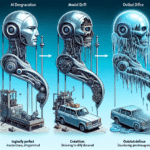
AI Model Performance Degradation Over Time
March 16, 2026
✍️ Introduction: When Smart AI Gets It Wrong
Ever asked ChatGPT or Claude a question that sounded right but wasn’t? You’re not alone. Even the most advanced AI models can confidently invent false information — a phenomenon known as AI hallucination. For journalists, researchers, and academics, this isn’t just frustrating — it can threaten credibility and accuracy.
The good news? You can prompt your way out of misinformation. With the right prompts to fact-check AI, you can verify data, force AI to cite sources, and build a more trustworthy workflow.
Let’s explore how to do that — and how My Magic Prompt helps you automate and streamline this verification process.

🤖 What Are AI Hallucinations (and Why They Happen)
An AI hallucination occurs when a model fabricates facts, names, or citations that sound plausible but aren’t true. This happens because:
- AI predicts patterns based on training data — not real-time fact-checking.
- It fills gaps with what seems contextually likely, even if it’s false.
- Models are rewarded for confidence and coherence, not for absolute truth.
For example:
Prompt: “List peer-reviewed studies on caffeine improving memory.”
AI Response: “According to a 2021 Harvard study in NeuroCognition Journal…” — a journal that doesn’t exist.
To stop this, we need fact-checking prompts that challenge the AI to verify, justify, and show its work
🧠 5 Prompt Frameworks to Fact-Check AI Output
1. The Source Verification Prompt
Force AI to cite where it got its information.
Prompt: “Provide 3 sources or links that support the information above. For each source, explain why it’s credible.”
✅ Pro tip: Ask the AI to summarize the key takeaway of each source — this exposes fake or circular citations fast.
2. The Contradiction Finder Prompt
Encourage critical thinking by making the AI debate itself.
Prompt: “List 2 alternative perspectives or studies that might contradict the above information. Provide links or references if available.”
This is especially powerful for researchers comparing methodologies or political analysts checking bias.
Why it works: Hallucinations often collapse when AI is forced to consider multiple viewpoints.
3. The Fact-Check Framework Prompt
Turn AI into a verification assistant, not just a content generator.
Prompt: “Fact-check the text below using credible academic or news sources. Highlight statements that are likely false or unverifiable, and explain why.”
Use this before publishing research summaries, press releases, or policy analyses.
Bonus: My Magic Prompt offers pre-built templates like ‘AI Verifier’ that instantly apply this structure — perfect for Chrome users via the Magic Prompt Chrome Extension.
4. The Citation Confidence Prompt
Measure how confident the AI is in its answers.
Prompt: “For each claim above, rate your confidence level (1–10) and briefly justify why.”
This helps separate speculative AI outputs from high-confidence facts — crucial in academic or investigative contexts.
5. The Real-Time Validation Prompt
Simulate external cross-checking.
Prompt: “Rephrase your previous answer as if it were being reviewed by an expert fact-checker. Identify any weak or unsupported claims.”
When used repeatedly, this teaches AI to self-audit and align closer to human editorial standards.
🛠 How My Magic Prompt Makes This Easier
Writing and testing prompts like these manually can eat up hours. My Magic Prompt simplifies the process with:
- 🧩 Prompt Templates: Pre-built verification and research prompts you can customize instantly.
- 🧠 Prompt Builder: Create layered prompts that combine citation checks, tone adjustments, and bias analysis in one go.
- ⚡ AI Toolkit: Quickly compare responses across ChatGPT, Claude, and Gemini to spot inconsistencies.
If you regularly rely on AI for content verification, My Magic Prompt acts like your built-in AI editor, making your workflow faster and more reliable.
Explore tools and templates → My Magic Prompt
📚 Bonus: Quick Checklist for Fact-Checking AI Output
| Step | Prompt Type | Purpose |
|---|---|---|
| 1 | Source Verification | Ask for credible citations |
| 2 | Contradiction Finder | Surface opposing viewpoints |
| 3 | Fact-Check Framework | Identify false or unverifiable claims |
| 4 | Citation Confidence | Rate and justify answer reliability |
| 5 | Real-Time Validation | Simulate expert review |
❓ FAQ: Fact-Checking AI Outputs
1. What’s the difference between a good and bad AI prompt?
A good prompt gives AI context, constraints, and purpose (e.g., “cite three peer-reviewed sources”). A bad prompt is vague and leaves the model room to hallucinate.
2. How can I make ChatGPT or Claude cite real sources?
Ask explicitly: “Cite verifiable sources with working links and publication names.” Combine this with a “confidence rating” follow-up prompt.
3. How can I organize my fact-checking prompts?
Use a prompt library — My Magic Prompt’s Prompt Builder lets you tag and reuse your best verification workflows.
4. What’s the best way to catch AI misinformation fast?
Run your response through a “contradiction finder” or ask AI to explain where each claim originated. False or vague responses are red flags.
5. Is there a way to compare multiple AI answers for consistency?
Yes! My Magic Prompt’s AI Toolkit helps you compare answers from ChatGPT, Claude, and Gemini side-by-side — ideal for spotting inconsistencies.
🤍 Final Thought: Trust, But Verify
AI tools can be brilliant research assistants — but only if we guide them wisely. With the right prompts to fact-check AI, you shift from passive user to informed collaborator.
Next time you ask an AI for facts, don’t just take its word for it — make it prove it.
👉 Try My Magic Prompt to explore pre-built verification templates, expert workflows, and the Chrome extension that keeps your AI outputs honest.