
How Agencies Can Use a Shared Prompt Library
April 6, 2026
Prompt Libraries vs Chat History: Which One Actually Saves Time?
April 6, 2026
✍️ Introduction: Moving Beyond DALL·E — Unlocking the Power of Stable Diffusion Prompts
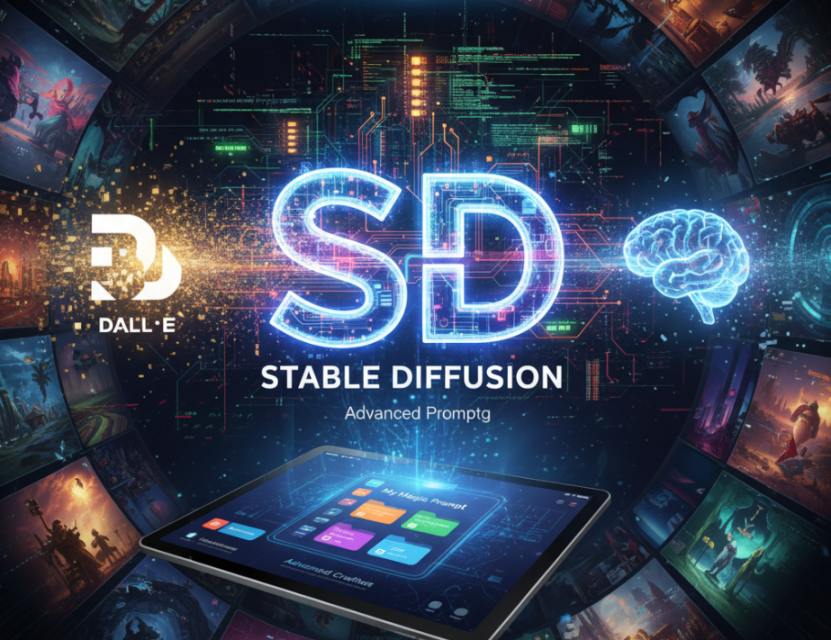
If you’ve experimented with AI image generators like DALL·E or Midjourney, you’ve likely discovered that prompt wording is everything. But when it comes to Stable Diffusion, the open-source powerhouse behind many of today’s AI art tools, the game changes — and your prompts can go much deeper.
Unlike other tools that abstract away complexity, Stable Diffusion rewards users who master advanced prompt crafting and negative prompting — fine-tuning your inputs to achieve near-photorealistic or stylistically perfect results.
In this guide, we’ll explore eight powerful Stable Diffusion prompt examples, explain how to refine them, and show how tools like My Magic Prompt can help you save, organize, and reuse your best image generation ideas.
🎨 Why Stable Diffusion Prompts Matter
Stable Diffusion is built for control. You can specify everything from composition and lighting to mood and texture — but only if your prompt language is precise.
Here’s what makes Stable Diffusion prompts unique:
- High granularity: Every word changes the image outcome.
- Negative prompts: You can ban unwanted traits (e.g., blurry, distorted, watermark).
- Reproducibility: You can tweak seeds, CFG scale, and model versions for consistent results.
Pro tip:
Start with a detailed prompt formula like this:
[Subject] + [Style/Medium] + [Lighting/Composition] + [Details/Modifiers] + [Negative Prompt]
Example:
“Portrait of an astronaut in a sunflower field, cinematic lighting, 8k, hyperrealistic, detailed texture, soft background, –no blurry –no watermark –no extra limbs”
🧠 8 Stable Diffusion Prompts You Can Try Right Now
These prompt examples work across Stable Diffusion Web UI, AUTOMATIC1111, and tools like Leonardo AI or Mage.Space.
1. Cinematic Realism
“A lone wanderer walking through a neon-lit alley, rain-soaked streets, shallow depth of field, cinematic lighting, detailed reflections, –no text, –no logo, –no duplicate faces”
💡 Use for: Film poster-style visuals or storytelling scenes.
2. Digital Illustration Style
“Fantasy forest with glowing mushrooms, hand-painted style, intricate details, bright color palette, volumetric lighting, –no lowres, –no blurry edges”
💡 Use for: Game concept art or book illustrations.
3. Photorealistic Portraits
“Ultra-realistic portrait of a woman in soft morning light, 50mm lens, natural makeup, shallow DOF, skin pores visible, –no makeup smudge, –no extra eyes”
💡 Use for: Stock-style photos or marketing visuals.
4. Architectural Visualization
“Modern minimalist house at sunset, warm lighting, high contrast shadows, HDR tone, photorealistic texture, –no distortion, –no low-poly shapes”
💡 Use for: Design presentations and real estate previews.
5. Anime Character Design
“Dynamic anime character with blue hair, detailed clothing, motion blur, dramatic lighting, concept art style, –no blur, –no artifacts”
💡 Use for: Game or animation character sheets.
6. Product Photography Mockups
“High-quality photo of a luxury wristwatch on marble, studio lighting, 8k macro detail, –no reflection, –no watermark”
💡 Use for: E-commerce product mockups.
7. Vintage Film Look
“1960s street photography style, film grain, monochrome tones, candid expression, analog lens blur, –no oversaturation”
💡 Use for: Editorial and fashion projects.
8. Concept Art Landscapes
“Post-apocalyptic city overgrown with nature, misty atmosphere, detailed environment concept, depth of field, –no text, –no human figures”
💡 Use for: Worldbuilding, moodboards, or storytelling environments.
⚙️ Advanced Technique: The Power of Negative Prompting
Negative prompting is one of Stable Diffusion’s biggest advantages over tools like DALL·E.
What it does: It removes unwanted elements from the generated image.
How to use it: Add words like “–no blur,” “–no distorted faces,” “–no text,” at the end of your prompt.
Example:
“Portrait of a cyberpunk woman, neon city background, photorealistic, –no glitch –no duplicate body parts –no grain”
This saves hours of re-generating or photoshopping results.
🧩 How to Save and Reuse Your Stable Diffusion Prompts Efficiently
If you’ve ever lost the “perfect” prompt you used last week — you’re not alone.
With My Magic Prompt, you can:
- 💾 Save your best prompts in folders for each project
- 🔍 Search and organize by tags (e.g., “portrait,” “cyberpunk,” “illustration”)
- 🧠 Generate prompt variations using AI to improve your existing ones
- ⚙️ Access them directly in your browser via the Magic Prompt Chrome Extension
It’s the easiest way to build your personal prompt library — especially if you use multiple models (ChatGPT, Claude, Gemini, etc.) for your workflow.
❓ FAQ: Stable Diffusion Prompts Explained
1. What’s the difference between a good and bad Stable Diffusion prompt?
A good prompt clearly defines subject, style, and desired outcome, while a bad one is vague or lacks structure. More detail = more control.
2. What is a negative prompt in Stable Diffusion?
A negative prompt tells the model what to avoid — like blurriness, text, or distortions — improving image quality significantly.
3. Can I use the same prompt across different models?
Yes, but expect slightly different results. Stable Diffusion, DALL·E, and Midjourney interpret prompt structure uniquely.
4. How can I organize my prompts?
Use tools like My Magic Prompt to save, categorize, and quickly reuse prompts. This saves time and keeps your creative flow uninterrupted.
5. How do I make my images more realistic?
Add photographic details like lens type, lighting, texture, and remove noise with negative prompts.
6. Is Stable Diffusion free to use?
Yes — the base model is open-source. You can run it locally or use online frontends with paid tiers for more power.
🤍 Final Thoughts: Master Your AI Image Workflow
Prompt mastery is what separates casual users from true AI artists. Once you understand how Stable Diffusion prompts and negative prompting work, you can produce professional-quality visuals — fast.
And when you’re ready to take it further, My Magic Prompt is your creative co-pilot. Store, refine, and remix your best ideas across every AI model you use.
➡️ Try My Magic Prompt today and turn your next prompt into your next masterpiece.