

How to Use Prompts for Faster Market Research
May 4, 2026
The Best Prompts for Brand Voice Training
May 4, 2026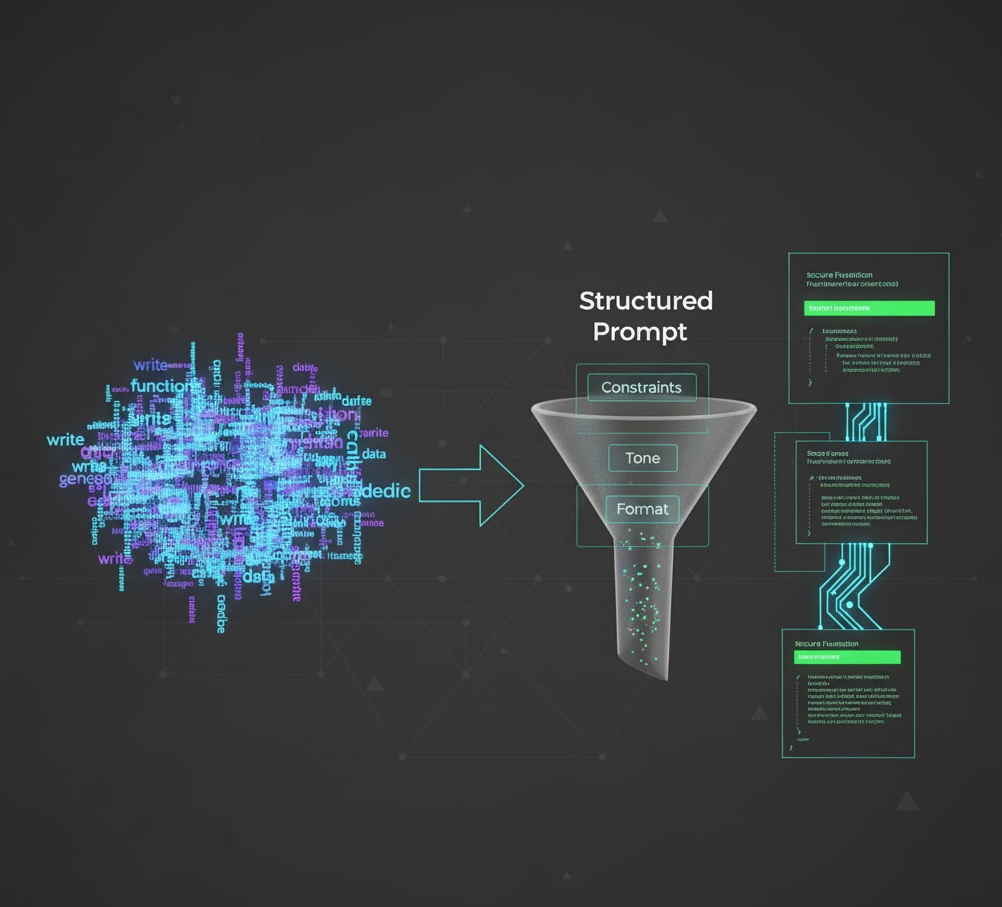
✍️ Introduction: The Developer’s AI Dilemma
If you’ve ever asked ChatGPT or Claude to “write a Python function that cleans data,” you know how hit-or-miss AI-generated code can be. Sometimes it’s elegant; other times, it’s an unreadable mess that misses your intent entirely.
The difference isn’t always the model—it’s the prompt structure.
For developers, prompt structuring is the new equivalent of writing good documentation. By giving your AI coding assistant clear constraints, context, and tone, you can drastically improve your code quality, maintainability, and even security.
Let’s explore five ways structured prompts can level up your code—and how My Magic Prompt helps you standardize them.

💡 1. Define Your Code’s Purpose Up Front
Unstructured Prompt:
“Write a script that scrapes website data.”
Structured Prompt:
“Write a Python script that scrapes product data from a given URL, saves it as JSON, and includes exception handling for failed requests.”
When you clarify the what, how, and expected output format, you reduce hallucinations and ensure the AI produces functional, testable code.
Pro Tip: Use brackets [like this] to create prompt variables for reusability, e.g., [programming language], [data format], [error handling method].
🧱 2. Add Constraints to Improve Code Security
AI often produces code that works, but not necessarily safely. Adding constraints like “avoid deprecated libraries,” “sanitize inputs,” or “follow OWASP security standards” helps your AI respect coding best practices.
Structured Example:
“Generate a Node.js API that validates all inputs using Joi, avoids deprecated libraries, and includes security headers.”
This ensures your output aligns with real-world security expectations—a must for production environments.
⚙️ 3. Use Tone to Match Your Coding Style
AI-generated code can vary from hyper-minimalist to over-commented. Use tone cues to guide that:
Examples:
- “Write concise, production-ready code with minimal comments.”
- “Explain each step with inline comments for a beginner developer.”
Prompt tone helps you balance readability and brevity—especially useful when collaborating in teams or teaching new hires.
🧩 4. Specify Output Format for Easier Integration
When integrating AI code into larger projects, structure your prompt to match the output format you need:
“Output only the code, formatted for VS Code, no explanations.”
“Return the function wrapped in markdown code blocks.”
This saves you from editing out unnecessary commentary and makes copy-pasting more efficient.
With My Magic Prompt’s Prompt Builder, you can save these format directives as reusable templates—perfect for consistent team workflows.
🔗 Explore Magic Prompt Chrome Extension
🧠 5. Incorporate Testing and Review Prompts
Why stop at generation? Add prompts that guide the AI to review or refactor its own code.
Example Workflow:
- Generate the function.
- Prompt: “Review the code for potential logic errors, performance bottlenecks, and unhandled edge cases.”
- Prompt: “Refactor for clarity without changing functionality.”
This layered approach mimics peer review, letting AI assist you in catching issues early.
🛠️ How My Magic Prompt Makes This Easy
Manually structuring every prompt is tedious. My Magic Prompt helps developers:
- Save structured code prompts as reusable templates.
- Insert variables for programming languages, frameworks, and output preferences.
- Access a Prompt Library that your team can standardize across workflows.
Use it as your secret productivity layer between your brain and your AI coding assistant.
🔗 Visit My Magic Prompt to explore templates, or use the Magic Prompt Chrome Extension for faster access.
❓ FAQ: Prompt Structuring for Developers
1. What’s the difference between a generic and a structured coding prompt?
A generic prompt asks for a result; a structured prompt explains how and why—reducing errors and improving clarity.
2. How can prompt structuring improve team collaboration?
Shared templates ensure consistent coding style and standards across developers.
3. Does prompt structuring reduce AI hallucinations?
Yes—specific context and constraints minimize irrelevant or incorrect outputs.
4. Can I organize and share my prompts easily?
With My Magic Prompt, you can build a central prompt library accessible to your entire dev team.
5. What’s the best way to teach new devs to use AI responsibly?
Encourage structured prompting that includes testing, documentation, and ethical coding practices.
🤍 Final Thoughts
Prompt structuring isn’t just about better results—it’s about building trust between you and your AI assistant. By guiding your tools with clarity and intent, you turn them into reliable coding partners instead of unpredictable black boxes.
If you want to level up your workflow, explore My Magic Prompt — your all-in-one toolkit for structured, sharable, and smart prompting.