

The Minimalist AI Chrome Extension Setup for 2026
August 15, 2026
What Happens When You Don’t Have a Prompt Manager in Chrome
August 17, 2026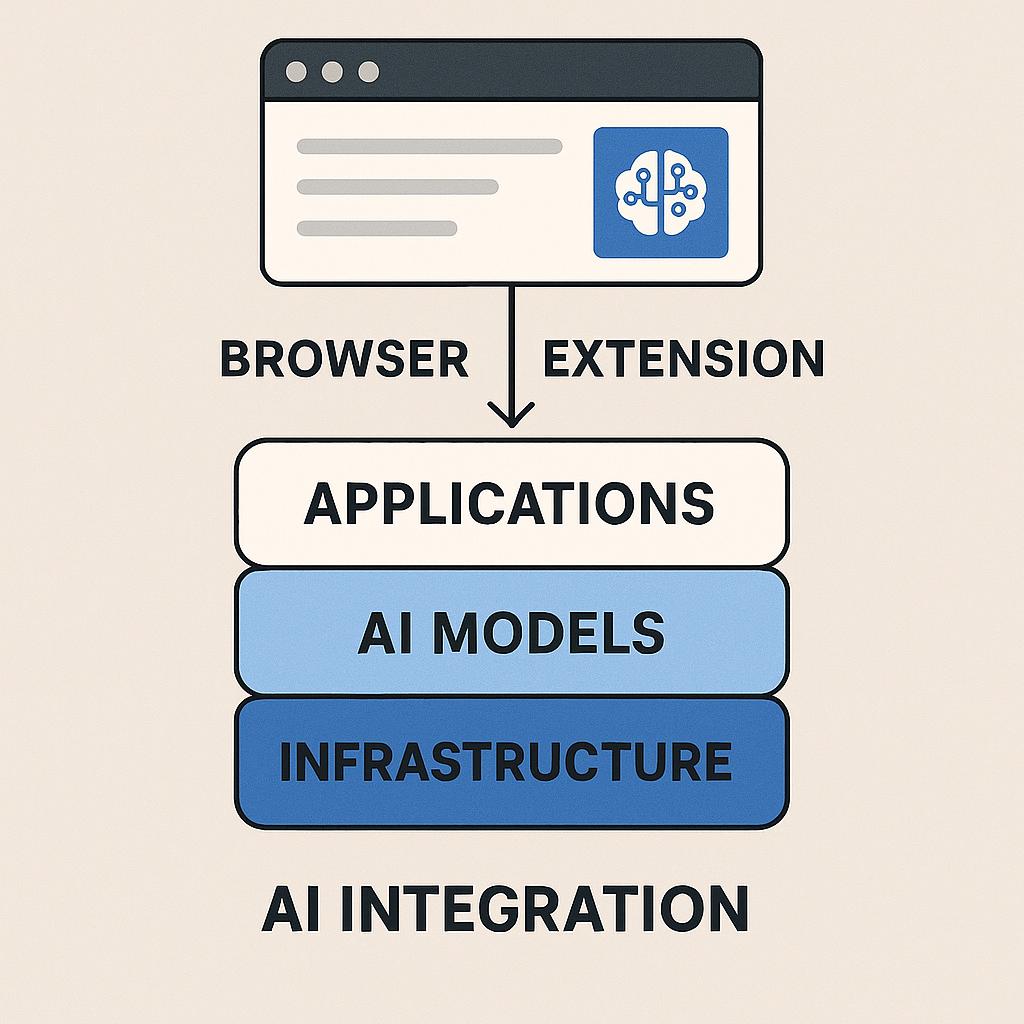
The New Way to Use ChatGPT: Browser Extensions That Do the Heavy Lifting
Meta Description: A Chrome prompt extension is the missing AI stack layer, connecting AI tools, content platforms, and your daily workflow for smarter productivity.
Ever find yourself toggling between ChatGPT, your inbox, Google Docs, and a dozen other tabs, copy-pasting prompts and results just to get your work done? If you’re nodding, you’re not alone. The rise of AI tools like ChatGPT, Claude, and Gemini has supercharged productivity, but also added a new kind of friction: bringing AI’s smarts into the apps where work actually happens.
Enter the missing AI stack layer: browser extension AI integration. These new tools act like connective tissue between AI models and your daily work platforms—making advanced prompt engineering and instant AI access just a click away.
Why Browser Extensions Are the Secret Weapon for Smart AI Users
Think of browser extensions as your personal AI “sidekick”—always on, always ready. Instead of jumping between windows, you can:
- Generate high-quality prompts for ChatGPT, Claude, or Gemini directly in your browser
- Apply prompt frameworks and templates right where you’re working—emails, docs, or project management tools
- Instantly rephrase, summarize, or ideate without breaking focus
It’s the productivity boost most users don’t realize they’re missing.
How to Build Your AI Stack Layer with Smart Prompt Extensions
Ready to level up your workflow? Here’s a quick framework for integrating browser extension AI tools into your stack:
- Identify Repetitive Tasks: Where do you write, brainstorm, or summarize most often? Pinpoint those workflows.
- Install a Trusted Prompt Extension: Try MagicPrompt’s Chrome extension to bring AI prompt generation into any site.
- Leverage Prompt Templates: Use built-in prompt frameworks—like the MagicPrompt library—for brainstorming, summarizing, or content drafting.
- Refine and Reuse: Save your best prompts or tweak them for new contexts. The more you use them, the smarter (and faster) your workflow becomes.
Example: Drafting Smarter Emails with an AI Extension
Instead of typing from scratch, highlight your notes and use your extension to:
- Summarize key points
- Rephrase for clarity or tone
- Generate follow-up prompts—all without leaving your inbox
This isn’t just convenience; it’s a productivity multiplier.
FAQ: Browser Extension AI Integration & the Missing AI Stack Layer
- What is the “missing AI stack layer”?
- It’s the layer that connects AI models (like ChatGPT) with the platforms where you actually work—bridging the gap with practical, in-browser tools.
- How do browser extensions improve prompt engineering?
- They make it easy to apply, test, and refine prompts in real-time, right where you’re working, without switching apps or losing focus.
- Are browser AI extensions secure?
- Look for extensions from reputable developers, check privacy policies, and review permissions. For more, see Mozilla’s guide to extension safety.
- Can I use prompt extensions with any AI model?
- Many extensions (like MagicPrompt) support multiple models, including ChatGPT, Claude, and Gemini, so you can choose the best tool for any task.
- Do I need to know prompt engineering to use these tools?
- No! Many extensions offer templates and smart suggestions, making advanced AI capabilities accessible to anyone.
Ready to Try the New AI Workflow?
Browser extension AI integration is quickly becoming the “missing AI stack layer” for modern knowledge workers. If you’re curious about using AI more strategically—and want to spend less time on busywork—explore My Magic Prompt or grab the Chrome extension to see what your workflow’s been missing.