

How to Use Prompts to Build a Personal Brand
July 13, 2026
How to Create Prompt Templates for Client Intake Forms
July 13, 2026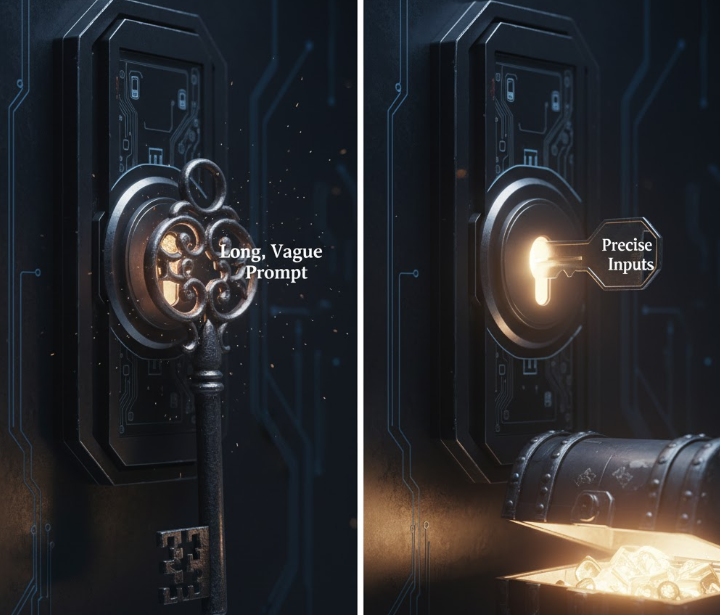
Introduction
Have you ever written a long, detailed prompt and still received a confusing or generic AI response? Many users assume that longer prompts automatically produce better outputs. The truth is, what matters most is the quality of the inputs you provide. By designing prompts with clear variables, context, and constraints, you can generate high-quality results faster and more consistently.

Why Prompt Inputs Are Crucial
1. Variables Define the Outcome
Variables are placeholders or dynamic elements in your prompt. They guide the AI to produce responses that fit your specific scenario.
Example:
- Instead of: “Write a marketing email.”
- Use: “Write a marketing email promoting [product_name] to [target_audience] highlighting [key_benefit].”
This approach ensures each output is tailored, relevant, and actionable.
2. Context Enhances Understanding
Providing context helps the AI understand the bigger picture.
Tips:
- Include relevant background information.
- Mention tone, style, or voice.
- Specify goals or desired outcomes.
Example:
“As a B2B SaaS founder, write a LinkedIn post introducing [product_name] to attract [type_of_client], keeping a professional yet approachable tone.”
3. Constraints Improve Precision
Constraints guide the AI to produce responses that meet your needs.
Examples:
- Word count: “Limit the email to 150 words.”
- Style: “Write in a casual, conversational tone.”
- Format: “Provide a bullet-point list with 3 key benefits.”
4. Examples Serve as Templates
Providing examples or samples in your prompt sets clear expectations.
Example:
“Rewrite the following product description in a friendly tone. Original: ‘Our tool automates tasks.'”
5. Targeted Data Leads to Actionable Outputs
Supplying relevant data or specifics in your prompt ensures the AI’s output aligns with your business objectives.
Example:
Include sales figures, customer personas, or industry trends to make marketing content more precise.
How My Magic Prompt Simplifies Input Design
My Magic Prompt helps you create structured prompts effortlessly:
- Build prompts with variable placeholders.
- Add contextual notes and constraints.
- Generate repeatable, high-quality outputs for teams or personal use.
Explore My Magic Prompt to streamline your prompt design workflow.
FAQ
1. What is the difference between prompt inputs and prompt length?
Prompt inputs refer to the variables, context, and constraints you provide. Length alone doesn’t guarantee clarity or quality.
2. How can I organize prompt variables effectively?
Use consistent naming, tables, or templates in your prompt library to make them reusable and easy to update.
3. Are examples necessary for every prompt?
Not always, but examples help the AI understand your expectations, especially for complex outputs.
4. Can better inputs improve responses from any AI model?
Yes, regardless of model size or capabilities, well-structured inputs consistently yield superior results.
5. How does My Magic Prompt support advanced input design?
It offers a prompt builder, templates, and AI toolkit to add variables, context, and constraints seamlessly.
Conclusion
The key to getting great AI responses isn’t writing the longest prompt—it’s crafting high-quality inputs. By focusing on variables, context, constraints, and examples, you can elevate your AI outputs and save time. Try My Magic Prompt today to optimize your prompt inputs and streamline your workflow.