

How to Create Prompt Templates for Client Intake Forms
July 13, 2026
How to Instantly Share a Prompt With Your Team From Chrome
July 14, 2026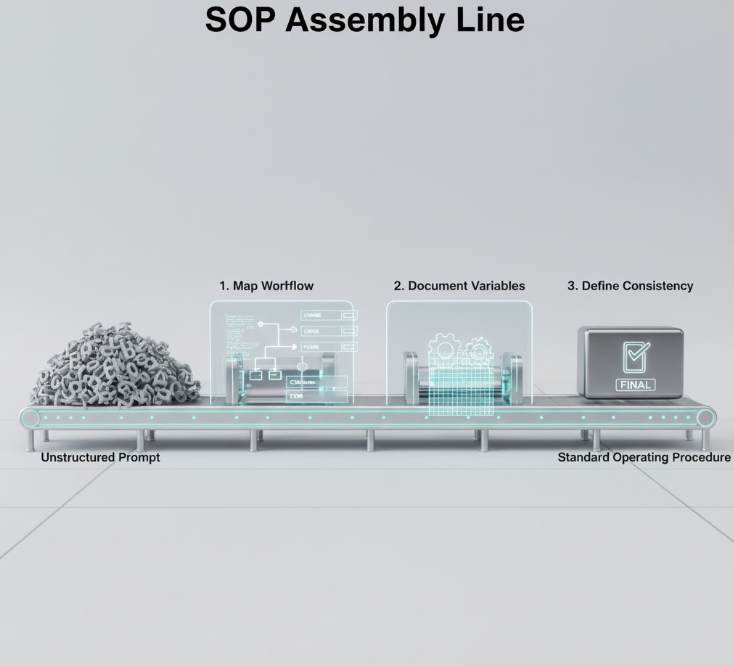
Introduction
AI prompts are powerful, but without structure, they often stay as isolated tasks rather than integrated workflows. Many teams struggle with inconsistent outputs, lost knowledge, and inefficient handoffs. Turning your AI prompts into standardized operating procedures (SOPs) ensures repeatable, high-quality results across your organization. In this guide, we’ll explore practical ways to transform your prompts into actionable SOPs.

Step 1: Map Your Workflow
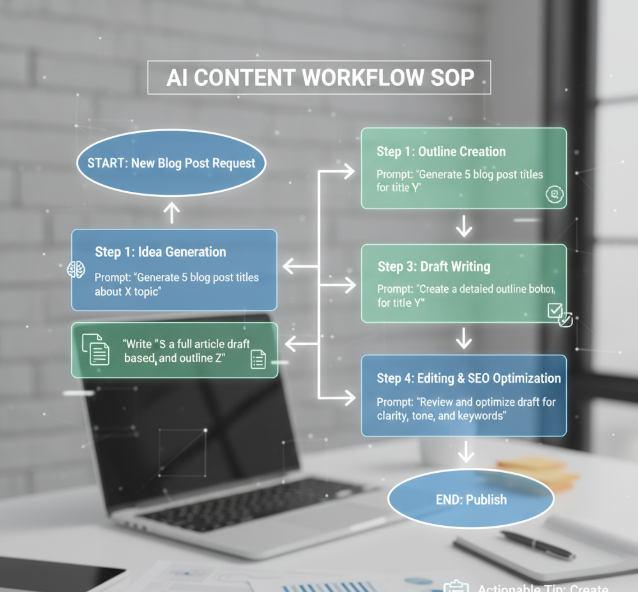
Start by identifying the process you want to automate. Break it down into clear steps from start to finish. For each step, determine which AI prompt or task is needed.
- Actionable tip: Create a visual flowchart to outline each step and its dependencies.
- Example: A content creation workflow might include idea generation, outline creation, draft writing, and editing.
Step 2: Document Each Prompt
Document the prompt text, variables, and expected output for each step. This ensures clarity for anyone using or modifying the SOP.
- Use consistent naming conventions for prompts and variables.
- Include examples of successful outputs.
- Highlight any optional parameters or conditions.
Step 3: Define Consistency Guides
To maintain quality, create guides that define tone, formatting, and style. These consistency guides help different team members produce uniform outputs.
- Specify voice (formal, casual, technical) and formatting rules.
- Use checklists for quality control.
- Reference previous SOP outputs as examples.
Step 4: Implement Variables and Conditional Logic
Operational prompts benefit from dynamic elements. Use variables to customize outputs based on context.
- Example:
{{client_name}}or{{product_feature}}can personalize messages automatically. - Conditional logic can trigger different prompts based on input or scenario.
Step 5: Team Training and Rollout
An SOP is only effective if the team knows how to use it. Train team members, provide access to templates, and collect feedback to refine processes.
- Host walkthroughs or video tutorials.
- Store SOPs in a shared repository.
- Encourage feedback loops for continuous improvement.
Image alt text suggestion: “team reviewing AI prompt SOP on a shared platform”
FAQs
Q1: What’s the difference between a good and bad AI prompt?
A good prompt is specific, includes context, and defines the desired output. A bad prompt is vague and produces inconsistent results.
Q2: How can I organize prompts into SOPs efficiently?
Start with mapping workflows, document each prompt with variables and examples, then standardize style and train the team.
Q3: Can prompts replace full SOPs?
Prompts complement SOPs but don’t replace operational context, approval steps, or human oversight.
Q4: How do I maintain prompt SOPs over time?
Regularly review outputs, update prompts for new AI capabilities, and incorporate team feedback.
Q5: Which tools can help manage prompt SOPs?
My Magic Prompt provides a prompt builder, templates, and a centralized repository to simplify SOP creation.
Conclusion
Ready to turn your AI prompts into repeatable, high-quality SOPs? Explore My Magic Prompt to access the prompt builder, templates, and AI toolkit that streamline your workflows. You can also check out the Magic Prompt Chrome Extension for seamless integration into your daily workflow.