

How Browser Extensions Make AI More Consistent for Teams
June 29, 2026
How Context-Aware Prompting Works in Your Browser
June 29, 2026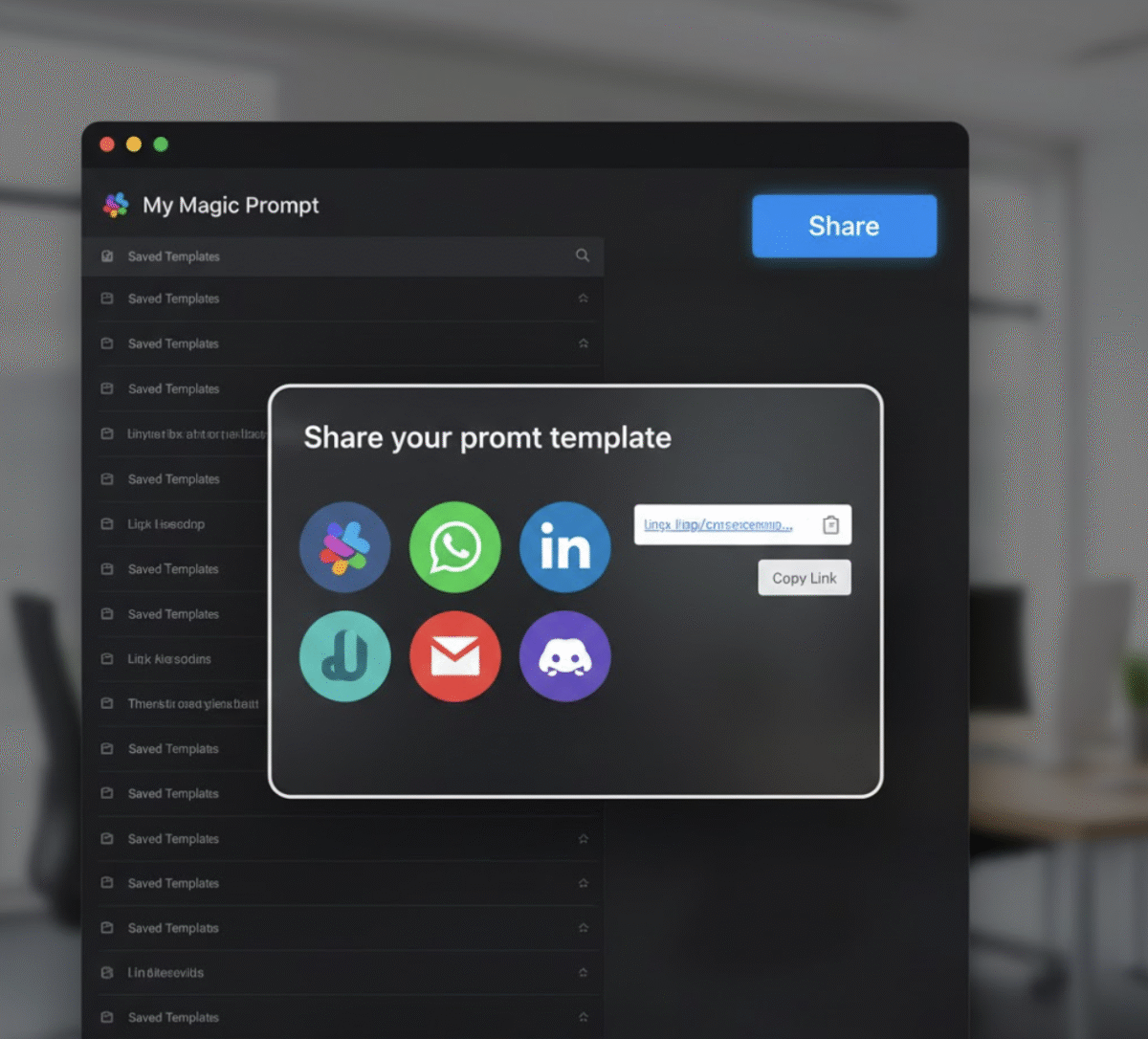
🧠 Introduction: The Remote Team Collaboration Challenge
If you’ve ever worked in a remote team, you know how tricky it can be to share ideas quickly—especially AI prompts. One person might have the perfect ChatGPT command that saves hours of work, but it’s buried in a Google Doc or lost in DMs.
That’s where My Magic Prompt steps in. With its new sharing feature, you can instantly share prompts on Slack or WhatsApp, turning individual insights into team-wide productivity boosts.

⚙️ Why Sharing Prompts Matters for Remote Teams
Prompts are the new templates of the digital age. For distributed teams, they’re like mini playbooks—helping everyone align on tone, format, and outcomes.
But without an easy way to share them, valuable prompts often get lost or siloed.
Here’s why sharing prompts is powerful:
- Keeps messaging consistent across marketing, sales, and support.
- Helps new hires learn faster by reusing proven AI workflows.
- Saves time spent rewriting or reformatting prompts for every task.
When your team can share prompts instantly, collaboration goes from chaotic to streamlined.
🚀 How to Share Prompts on Slack with My Magic Prompt
Ready to bring your favorite prompts straight into Slack? Here’s how it works:
Step 1: Open Your Saved Prompt
Go to your My Magic Prompt dashboard or open the Magic Prompt Chrome Extension. Find the prompt you want to share.
Step 2: Click “Share”
You’ll see options for Slack, WhatsApp, and other channels. Choose Slack.
Step 3: Choose Your Channel or Teammate
Select which workspace and channel you want to send the prompt to. You can also tag specific teammates.
Step 4: Send and Collaborate
The prompt appears directly in your Slack conversation—formatted, ready to use, and editable for your team.
Pro Tip: Pair shared prompts with your favorite prompt templates to keep responses structured and consistent.
💬 How to Share Prompts on WhatsApp
For teams that communicate primarily through WhatsApp (especially freelancers or small teams), sharing is just as simple.
Step 1: Select Your Prompt
Choose your saved prompt in My Magic Prompt.
Step 2: Click “Share” → WhatsApp
Select WhatsApp from the sharing menu.
Step 3: Pick a Contact or Group
Choose your WhatsApp contact or group, and send it instantly.
Step 4: Collaborate on the Go
Your teammates can now copy, tweak, or test the prompt right from their phones.
Why it works: Prompts become portable—accessible wherever your team is working.
🧩 Advanced Tip: Using AI-Powered Prompt Libraries
Want to go beyond one-off sharing? Build a team prompt library using My Magic Prompt’s folder system and tagging options.
This lets you:
- Group prompts by project, tone, or use case.
- Keep track of top-performing prompts.
- Share curated libraries across Slack or WhatsApp in seconds.
For advanced users, integrate your shared prompts into AI workflows using tools like Zapier or Notion AI.
🛠 Why My Magic Prompt is Built for Teams
Unlike generic prompt tools, My Magic Prompt is designed with collaboration in mind. It helps you:
- Build and save prompt templates for every workflow.
- Share seamlessly with team members.
- Generate platform-specific prompts for ChatGPT, Claude, or Gemini.
Whether you’re managing a remote team, training interns, or running a content sprint, it’s the AI productivity hub that connects everyone.
External Reference: TechCrunch – The Rise of Collaborative AI Tools for Remote Work
❓ FAQ: Sharing Prompts on Slack and WhatsApp
1. Can I edit a prompt before sharing it on Slack or WhatsApp?
Yes! You can tweak your prompt directly in the share window to customize it for your audience.
2. Does My Magic Prompt support team folders or shared libraries?
Absolutely. You can organize prompts into shared collections for easy access.
3. What’s the difference between sharing and exporting a prompt?
Sharing sends a formatted version directly to your communication tool; exporting downloads it for offline use.
4. Can I share prompts across different AI models?
Yes. Prompts created in My Magic Prompt can be optimized for ChatGPT, Claude, or Gemini.
5. Is there a limit to how many prompts I can share per day?
No hard limits—share freely within your team’s collaboration needs.
🤍 Ready to Share Smarter?
Stop copying and pasting prompts from endless chat threads. Start sharing them instantly—and intelligently—with My Magic Prompt.
👉 Try the Magic Prompt Chrome Extension or explore more tools at My Magic Prompt.