
How to Use MagicPrompt to Prompt Any AI Without Switching Tabs
July 25, 2026
How to Use MagicPrompt With Any AI Writing Tool in Chrome
July 27, 2026
How to Use MagicPrompt to Streamline AI Handoffs Between Tools
Have you ever found yourself stuck in the endless loop of copying and pasting prompts between ChatGPT, Claude, Gemini, and other generative AI tools? If so, you’re not alone. Most productivity-minded people know the struggle: you craft the perfect prompt in one tool, only to reformat, edit, and re-enter it elsewhere. It’s a hidden productivity drain—and it’s time for a prompt workflow fix.
The Hidden Cost of Copy-Pasting Prompts
Every time you copy and paste prompts between AI platforms, you lose precious time and focus. The friction isn’t just about a few extra clicks; it’s about breaking your flow, introducing errors, and risking inconsistent results. For knowledge workers, marketers, developers, and anyone orchestrating AI handoffs, these micro-inefficiencies add up fast.
- Error-prone: Formatting gets lost and context can be dropped.
- Disruptive: Switching tabs and windows interrupts deep work.
- Inconsistent: Manual edits often lead to prompt mismatches.
How MagicPrompt’s Chrome Extension Fixes Your Prompt Workflow
Imagine a world where you stop copy paste prompts entirely. MagicPrompt offers a smart, seamless solution. Its Chrome extension acts as a bridge between your favorite AI tools, letting you generate, save, and reuse high-quality prompts—without ever breaking your flow.
MagicPrompt Workflow in Action
- Generate: Use MagicPrompt to instantly craft optimized prompts tailored to ChatGPT, Claude, or Gemini.
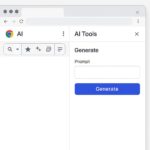
- Transfer: With the Chrome extension’s sidebar, send prompts directly to the AI tool you need—no tab switching or formatting hassles.
- Reuse: Save your best prompts and workflows for quick access, versioning, and sharing.
By centralizing your prompt engineering workflow, MagicPrompt turns AI handoffs into a single-click process. The result? More time thinking, less time tinkering.
Best Practices for Seamless AI Handoffs
- Standardize your prompts: Use frameworks or templates for common tasks.
- Document effective prompts: Save what works and iterate for future projects.
- Automate repetitive transfers: Leverage tools like MagicPrompt’s Chrome extension to reduce manual work.
- Stay up to date: Follow industry best practices in prompt engineering.
FAQ: Streamlining Your Prompt Workflow
- How can I stop copy paste prompts between AI tools?
- Use a prompt workflow fix like MagicPrompt’s Chrome extension, which lets you generate and transfer prompts directly between platforms—no manual copy-paste required.
- What’s the benefit of using a Chrome extension for prompt engineering?
- Chrome extensions like MagicPrompt integrate directly into your browser, allowing you to work across multiple AI tools efficiently without switching tabs or losing formatting.
- Can I save and reuse prompts with MagicPrompt?
- Yes! MagicPrompt allows you to save your best prompts, organize them, and reuse them across different projects or AI platforms.
- Does MagicPrompt work with ChatGPT, Claude, and Gemini?
- Absolutely. MagicPrompt is designed to support all major AI chat tools, making it easy to manage and transfer prompts across platforms.
- Are there any best practices for prompt workflow management?
- Standardize your prompts, document what works, automate handoffs with tools like MagicPrompt, and regularly refine your approach based on results.
Streamline Your AI Workflow—No More Copy-Paste
If you’re ready to reclaim your time and focus, explore how MagicPrompt can become your secret productivity weapon. The right prompt workflow fix can eliminate busywork and help you unlock the full potential of your favorite AI tools.