
How to Use a Sidebar Extension to Stay in Your AI Flow State
July 22, 2026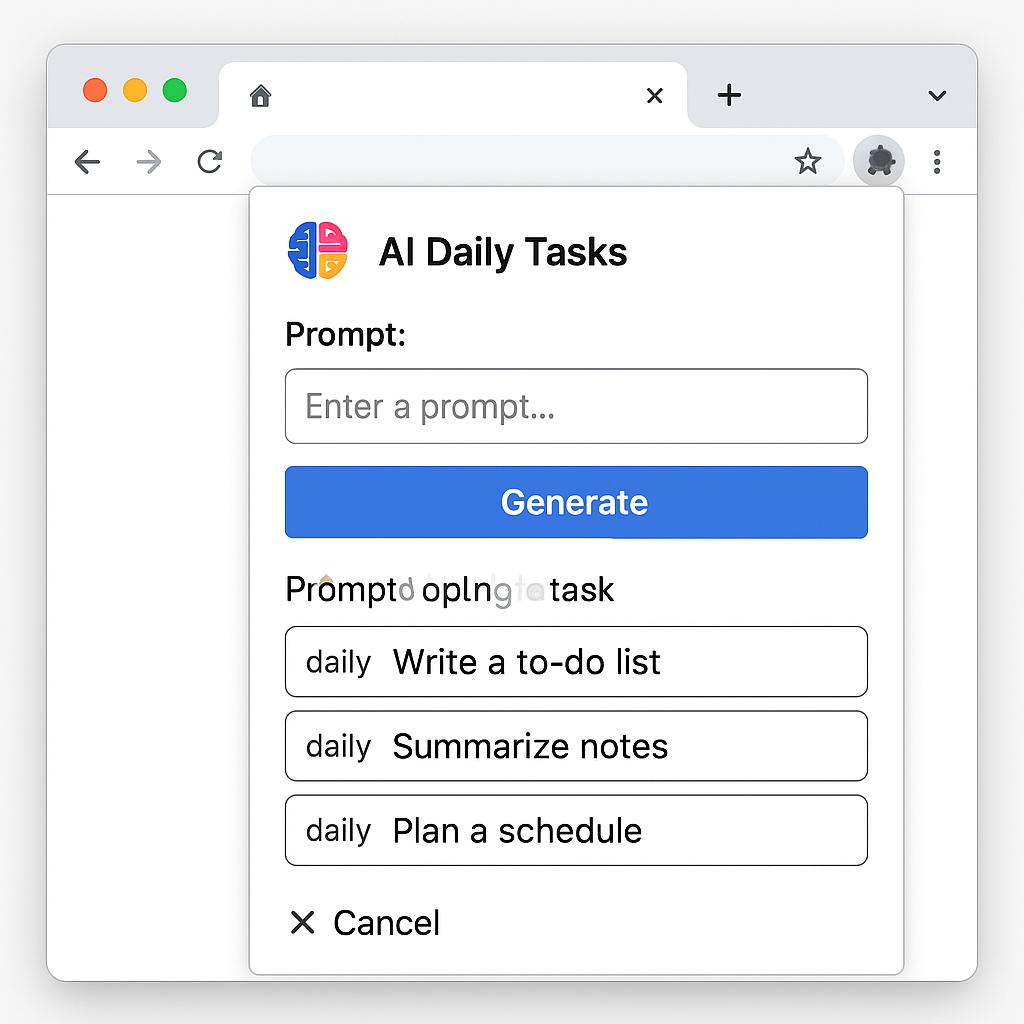
How to Use AI Prompts for Better Discovery Calls
Discovery calls are the lifeblood of successful client relationships, but let’s be honest: preparing for them can eat up hours of your day. From researching prospects to crafting the right questions, it’s easy to get bogged down in repetitive tasks. What if you could streamline your prep with a clever chrome extension AI daily tasks workflow—one that puts prompt engineering to work for you?
Why AI-Powered Discovery Calls Are a Game Changer
Imagine showing up to every call with hyper-personalized insights, strategic questions, and a clear agenda—without spending your whole morning prepping. AI-powered prompts can help you:
- Quickly research prospects and industries
- Generate tailored questions
- Summarize past interactions
- Automate tedious note-taking
The key? Building a browser prompt workflow using an AI productivity tool like My Magic Prompt. Let’s break down how you can make this your secret weapon for discovery calls.
Step-by-Step: Building Your Browser Prompt Workflow
1. Install a Chrome Extension for AI Daily Tasks
First, grab the MagicPrompt Chrome extension. This gives you instant access to powerful prompts right from your browser, so you can batch and automate your research and writing tasks in seconds.
2. Batch Research with Pre-Built Prompts
- Highlight prospect names or company info on LinkedIn, then trigger a research prompt to summarize relevant background.
- Use industry-specific prompt templates to spot trends or pain points for each call.
3. Automate Question Generation
- Leverage AI to generate a list of thoughtful, open-ended discovery questions tailored to the prospect’s business.
- Customize prompts to reflect your unique sales style or product focus.
4. Streamline Note-Taking and Follow-Up
- After the call, use an AI prompt to summarize key points and next steps.
- Batch your follow-up email drafts using a prompt that incorporates notes from your call summary.
Best Practices for Chrome Extension AI Daily Tasks
- Refine your prompts: Experiment and iterate to get the most relevant, actionable output for your workflow.
- Save your favorites: Build a library of high-impact prompts for different stages of your discovery process.
- Integrate with your tools: Many browser prompt workflow extensions work seamlessly with apps like Gmail, Notion, or your CRM.
For more prompt inspiration, check out the resources at My Magic Prompt.
FAQ: Using AI Prompts for Discovery Calls
- What is a browser prompt workflow?
- A browser prompt workflow is a set of AI prompts you can trigger directly within your web browser to automate and batch daily research, writing, or note-taking tasks.
- Can AI prompts really personalize my discovery calls?
- Yes! By feeding specific prospect data into your prompts, you can generate tailored questions, summaries, and insights in seconds.
- How do I create effective AI prompts for sales calls?
- Start with your core objectives—like learning about pain points or uncovering decision criteria—then craft prompts that generate strategic, open-ended questions around those themes.
- Is using a Chrome extension for AI daily tasks secure?
- Reputable extensions like MagicPrompt prioritize privacy and don’t store your sensitive data. Always review permissions before installing any extension. Learn more about extension security.
- Can I use these AI workflows with tools other than ChatGPT?
- Absolutely. My Magic Prompt works with ChatGPT, Claude, Gemini, and more—so your prompts are portable across platforms.
Ready to Level Up Your Discovery Calls?
With the right chrome extension AI daily tasks workflow, you can spend less time prepping and more time building relationships. Explore how My Magic Prompt can help you automate, customize, and scale your discovery call process—one smart prompt at a time.