
How to Build a Browser-Based AI Hub for Your Whole Team
June 30, 2026
How to Build a Prompt Library Around Your Offers
July 1, 2026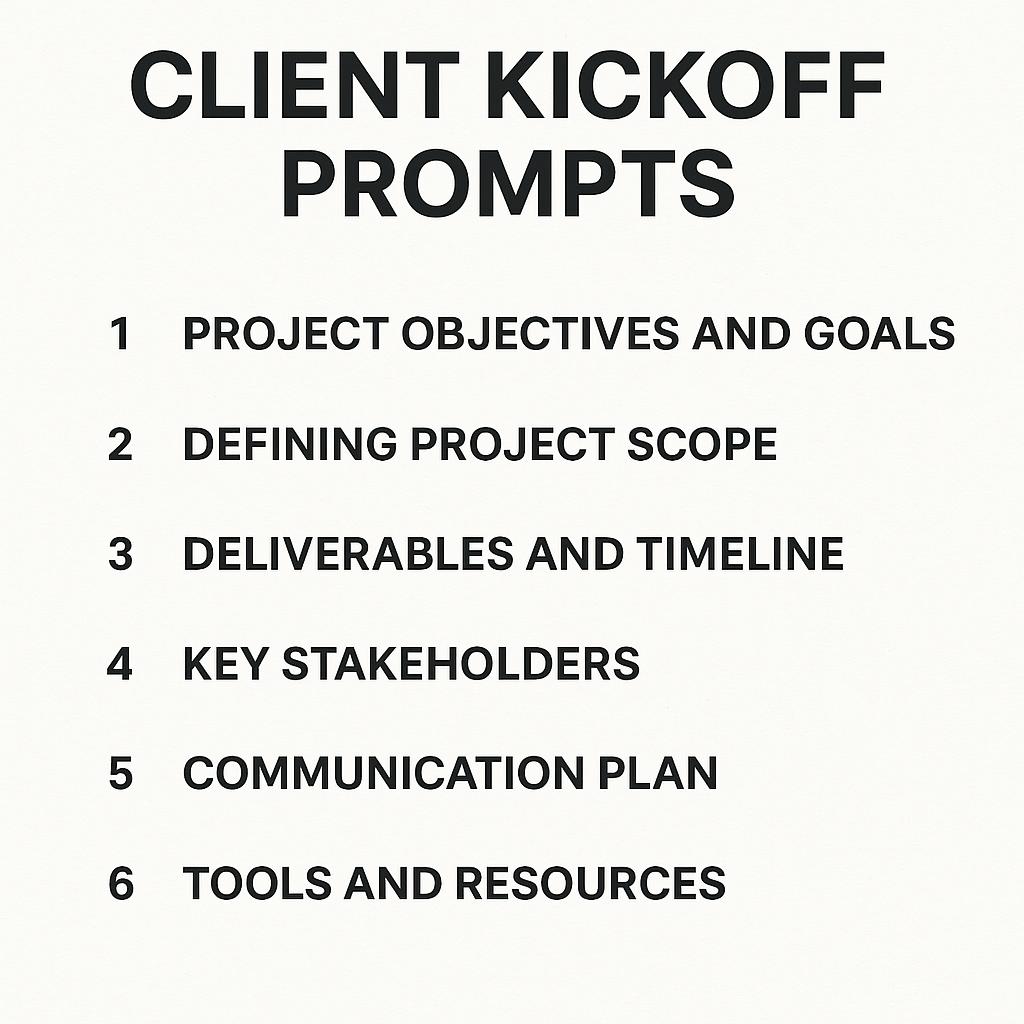
How to Build a Personal AI Toolbar in Chrome
Ever find yourself scrambling to draft a client kickoff doc, organize onboarding notes, or define project roles—all at the last minute? You’re not alone. Even the most organized teams hit a wall when it comes to consistently creating high-quality, repeatable project kickoff and onboarding docs. But what if you had a personal AI-powered toolbar in Chrome, ready to generate client kickoff prompts, project kickoff doc prompts, and onboarding templates in seconds?
Why an AI Toolbar Transforms Productivity
Every project starts with a flurry of planning: agendas, success metrics, timelines, and clear role assignments. The challenge? These steps are often rushed or skipped because the process feels repetitive. Enter the AI toolbar—a Chrome extension that acts as your on-demand prompt engineer, helping you:
- Generate tailored kickoff and onboarding docs instantly
- Standardize project communication with reusable AI prompts
- Save time while improving clarity and outcomes
With tools like My Magic Prompt, you can unlock high-quality prompts for ChatGPT, Claude, Gemini, and more—directly from your browser.
Step-by-Step: Building Your Personal AI Toolbar in Chrome
-
Install a Chrome AI Prompt Extension
Start by adding an AI prompt generator like MagicPrompt for Chrome. This puts a customizable prompt library just a click away. -
Curate Your Prompt Library
Use or adapt proven templates for key moments:- Client kickoff prompts for setting agendas and expectations
- Project kickoff doc prompts for timelines, deliverables, and roles
- Onboarding prompts for collecting stakeholder info and clarifying success metrics
-
Customize and Reuse
Edit prompts with project-specific details, and save your favorites. Consistency is key—having “go-to” frameworks ensures nothing falls through the cracks. -
Supercharge Collaboration
Share prompt libraries with your team, so everyone benefits from standardized processes and best practices.
Prompt Frameworks to Jumpstart Your Workflow
| Prompt Type | Use Case | Example Prompt |
|---|---|---|
| Client Kickoff | First meeting agenda | “Draft a kickoff agenda for a new client project, including introductions, project overview, and next steps.” |
| Project Roles | Assigning responsibilities | “List key roles and responsibilities for a website redesign project.” |
| Onboarding Docs | Stakeholder info | “Create a checklist of onboarding questions for new team members.” |
Looking for more prompt ideas? Check out the MagicPrompt resources library.
FAQ: Using AI Toolbars for Project Kickoff Docs and Onboarding
What are client kickoff prompts?
Client kickoff prompts are pre-designed questions or agendas that help you structure your first meeting with a client, ensuring all necessary topics are covered and expectations are set early.
How do AI-powered toolbars help with project kickoff doc prompts?
AI toolbars like MagicPrompt let you generate, customize, and reuse prompts for drafting agendas, timelines, and roles—reducing manual effort and improving consistency.
Can I create onboarding docs with AI prompts?
Absolutely! AI prompts can guide you in gathering stakeholder information, outlining key onboarding steps, and standardizing documentation for every new project or team member.
Are there best practices for using AI prompts effectively?
Yes—start with proven frameworks, customize prompts for your audience, and regularly update your prompt library based on feedback and project outcomes. Here’s a great guide on project kickoff templates to help you get started.
Is it safe to use AI prompt toolbars in Chrome?
Reputable tools, especially those vetted in the Chrome Web Store, prioritize user privacy and data protection. Always review permissions and choose trusted extensions.
Ready to Upgrade Your Workflow?
Building a personal AI toolbar in Chrome is a smart move for anyone looking to streamline client onboarding, project kickoff docs, and team collaboration. To explore more prompt ideas and see how AI can become your productivity secret weapon, visit My Magic Prompt or add the MagicPrompt Chrome extension today.