
How to Use Keyboard Shortcuts for Faster AI Prompting in Chrome
July 24, 2026
How to Use MagicPrompt to Streamline AI Handoffs Between Tools
July 27, 2026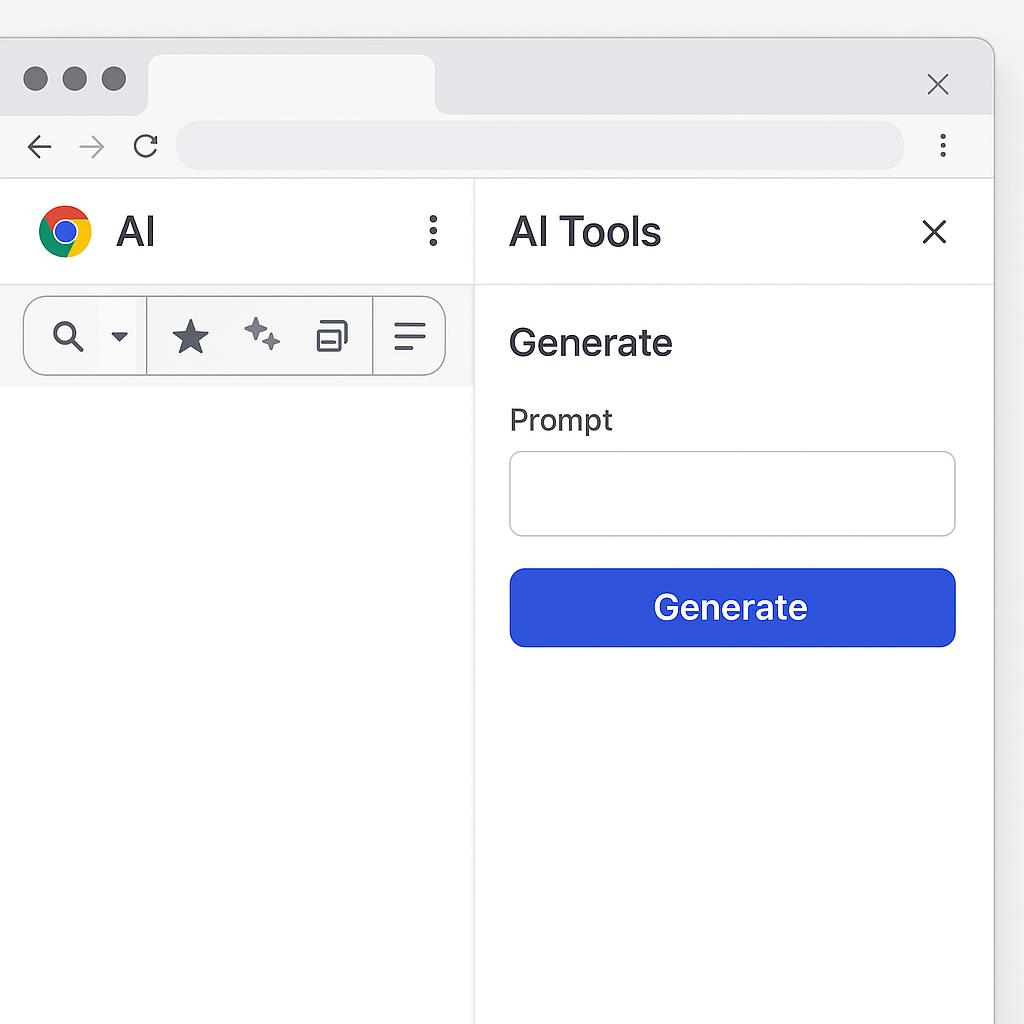
How to Use MagicPrompt to Prompt Any AI Without Switching Tabs
Ever found yourself juggling multiple browser tabs just to get the right prompt into ChatGPT, Claude, or Gemini? You’re not alone. As AI becomes central to our daily work, the hassle of switching between tools and tabs can slow even the most efficient pros. The good news? There’s a smarter way to prompt any AI—directly from your browser, using tools like MagicPrompt.
Why a Custom AI Toolbar in Chrome Is a Game Changer
Imagine having an AI toolbar in Chrome that sits quietly on the side, ready to generate and send high-quality prompts to any AI model, wherever you are on the web. No more copying, pasting, or losing your train of thought. That’s what a prompt sidebar or browser-based AI tool like MagicPrompt unlocks: seamless, strategic productivity.
Setting Up Your Browser-Based AI Command Center
- Install a Custom Browser AI Tool: Add an extension like MagicPrompt for Chrome. It integrates a prompt sidebar into your browser, giving you instant access to AI prompt generation on any site.
- Pin and Personalize: Pin MagicPrompt to your Chrome toolbar for quick access. Customize prompt templates for ChatGPT, Claude, Gemini, or your favorite AI—no switching needed.
-
Prompt Smarter, Not Harder:
- Highlight text or enter a question on any website.
- Activate the prompt sidebar and select your desired AI model.
- Use MagicPrompt’s suggestion engine to refine your query or generate a context-aware prompt in seconds.
Best Practices: Frameworks for Fast, Effective Prompting
- Use Role-Based Prompts: Start with “Act as a…” to get specialized responses (e.g., “Act as a productivity coach”).
- Be Specific: Add context and constraints for higher-quality outputs (“Summarize this article in 100 words for a busy manager”).
- Leverage Prompt Templates: Save and reuse your best prompts for recurring tasks—MagicPrompt makes this a breeze.
FAQ: Mastering Prompt Engineering with MagicPrompt
- What is an AI toolbar in Chrome?
- An AI toolbar is a browser extension that lets you generate, edit, and send prompts to AI models like ChatGPT or Gemini without leaving your current webpage.
- How do custom browser AI tools save time?
- They eliminate tab-switching and manual copy-pasting, letting you prompt any AI in context—speeding up everything from research to email writing.
- Can I use MagicPrompt with different AI models?
- Yes! MagicPrompt supports prompt generation for ChatGPT, Claude, Gemini, and more, all from a unified sidebar.
- Are there recommended prompt engineering frameworks?
- Absolutely. Try role-based prompts, add clear instructions, and use templates for repeat tasks. Read more prompt engineering tips here.
- Is MagicPrompt secure for sensitive information?
- MagicPrompt is designed with privacy in mind. For specifics, check out our privacy and security overview.
- Where can I learn more about prompt engineering?
- For a deep dive, explore resources like PromptingGuide.AI or follow updates on the MagicPrompt blog.
Ready to Level Up Your AI Workflow?
If you’re ready to skip the tab chaos and unlock a smarter way to work with AI, give MagicPrompt a try. It could be the productivity secret weapon you didn’t know you needed.