

The Chrome Extension That Remembers Your Best Prompts So You Don’t Have To
August 13, 2026
The Fastest Way to Reuse Your Best AI Prompts in Chrome
August 14, 2026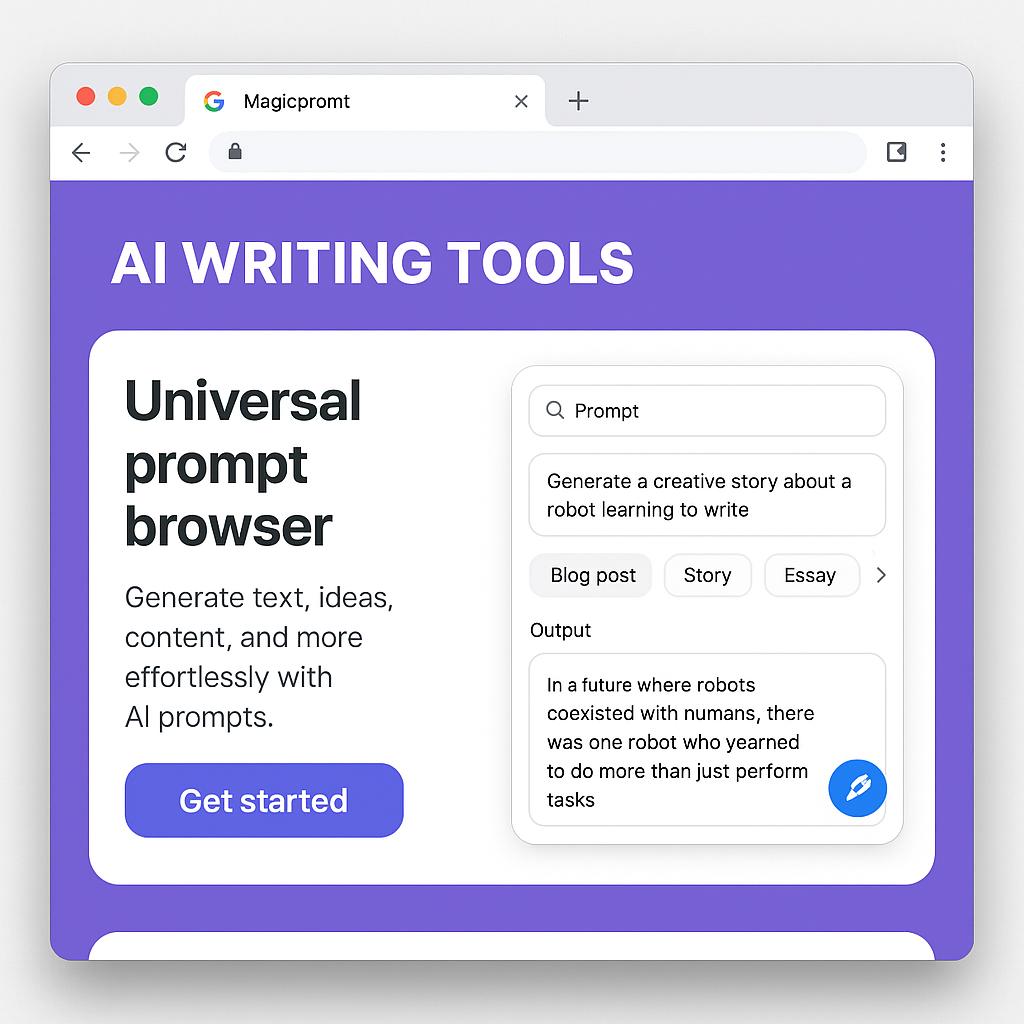
The Chrome Extension That Turns Any Webpage Into an AI Brief
Discover how MagicPrompt’s AI writing tools Chrome extension works as a universal prompt browser, letting you turn any webpage into a ready-to-use AI brief in seconds.
Ever found the perfect article, report, or resource online and wished you could instantly transform it into a tailored prompt for ChatGPT, Claude, or Gemini? You’re not alone. Many of us juggle research, brainstorming, and drafting across multiple tabs, often losing momentum copying, pasting, and rewriting just to get AI tools to understand what we want.
Enter MagicPrompt, the secret weapon of smart AI users. With the MagicPrompt AI writing tools Chrome extension, you can effortlessly create high-quality prompts from any webpage—no matter which AI writing platform you use.
How MagicPrompt’s Chrome Extension Supercharges Your AI Workflow
MagicPrompt is more than just a prompt generator—it acts as a universal prompt browser right inside Chrome. Here’s how it streamlines your productivity:
- Highlight & Transform: Select text anywhere online, open the MagicPrompt panel, and convert your selection into a ready-to-send AI brief.
- Platform Flexibility: Instantly adapt prompts for ChatGPT, Claude, Gemini, and more—no need to reformat or rewrite.
- One-Click Copy: Copy your expertly optimized prompt and paste it straight into your favorite AI writer.
- Prompt Frameworks: Access proven structures for brainstorming, summarizing, content creation, and research—right from your browser.
This means less friction, faster turnaround, and consistently better AI results with every session.
Best Practices: Turn Webpages Into Powerful AI Briefs
To get the most from MagicPrompt’s Chrome extension, try these actionable tips:
- Zero in on the core: Highlight only the most relevant section—such as a key paragraph, data point, or argument—to keep your prompt focused.
- Choose your AI persona: Use MagicPrompt’s options to instantly tailor the prompt for creative, analytical, or summarizing tasks.
- Add context: With the panel’s quick-edit tools, give your prompt extra instructions (“Summarize in 3 bullet points,” “Rewrite for a 10-year-old,” etc.)
- Save time with templates: Apply reusable frameworks for research, email drafting, or content ideation—directly from the MagicPrompt extension.
Want to see it in action? Install MagicPrompt from the Chrome Web Store and try highlighting a news article or research summary today.
FAQ: MagicPrompt AI Writing Tools Chrome Extension
- What is a universal prompt browser?
- A universal prompt browser like MagicPrompt lets you generate and customize AI prompts from any webpage, regardless of which AI writing tool you use. It bridges the gap between online research and prompt engineering.
- Which AI platforms does MagicPrompt support?
- MagicPrompt is compatible with leading AI writers including ChatGPT, Claude, Gemini, and more. The extension’s flexible output makes it easy to adapt prompts for virtually any AI platform.
- How do I use MagicPrompt to turn a webpage into an AI brief?
- Simply highlight text on any webpage, open the MagicPrompt panel, and choose your desired framework or output style. Then copy the prompt for use with your chosen AI writing tool.
- Is MagicPrompt secure to use?
- Yes, MagicPrompt processes prompts locally in your browser, so your data stays private. For more details, check out the official MagicPrompt site.
- Can I use MagicPrompt for team workflows?
- Absolutely! MagicPrompt helps teams standardize prompt quality, streamline research, and collaborate more efficiently—especially when working across multiple AI tools.
Level Up Your AI Productivity
Ready to work smarter, not harder? The MagicPrompt AI writing tools Chrome extension is your universal prompt browser for turning any webpage into an actionable AI brief. Explore more tips, guides, and productivity frameworks at My Magic Prompt.
For more insights on prompt engineering, check out Prompting Guide or explore the latest on AI writing tools.