
How to Launch Any AI Tool in One Click from Chrome
July 14, 2026
How to Run a Full Content Workflow From One Chrome Extension
July 15, 2026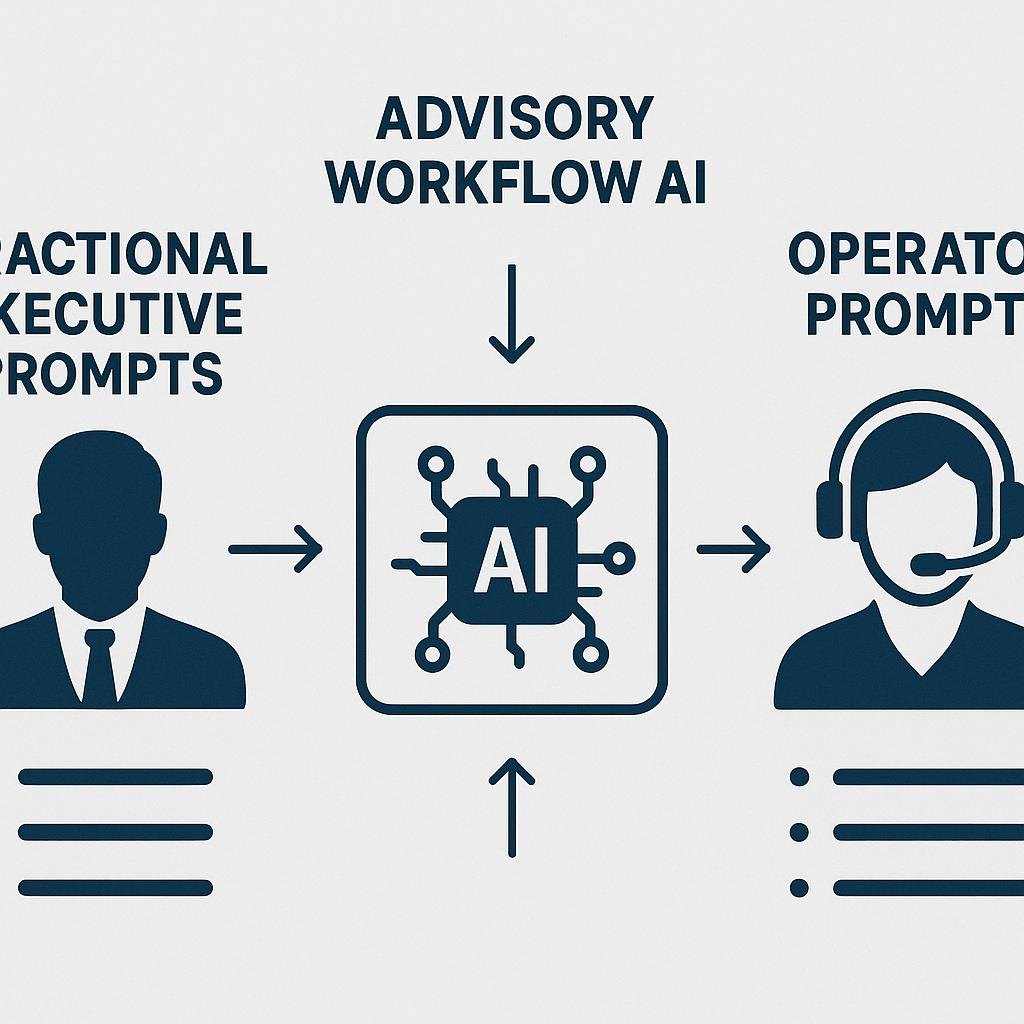
How to Organize Your AI Prompts Without Leaving Your Browser
Ever found yourself scrolling endlessly through scattered ChatGPT chats, digging through your downloads folder, or copy-pasting AI prompts into a dozen sticky notes? If you’re a fractional executive, advisor, or busy operator, prompt chaos is real—and it’s eating into your productivity. The good news? With the right prompt systems, you can streamline everything from client audits and board reports to strategic planning, all without leaving your browser.
Why Prompt Organization Matters for Fractional Leaders
Fractional executives and advisors juggle multiple clients and projects. Each engagement demands tailored communication, specific frameworks, and fast turnaround. AI tools like ChatGPT, Claude, and Gemini can supercharge your workflow—but only if your prompts are easy to find, reuse, and refine.
- Audit Consistency: Quickly run repeatable audit checklists across clients.
- Rapid Reporting: Generate client updates from proven prompt templates.
- Strategic Planning: Save operator prompts for annual reviews, OKR planning, and more.
- Client Communication: Keep advisory workflow AI prompts at your fingertips for clear updates and recommendations.
3 Steps to a Smarter AI Prompt System (Right in Your Browser)
1. Centralize Your Prompts in One Click
Stop toggling between files and tabs. Use a browser extension like My Magic Prompt to save, tag, and organize prompts directly where you work. With everything accessible from your browser toolbar, you’ll never lose track of your go-to advisory workflow AI templates.
2. Create Prompt Libraries by Use Case
- Audit Prompts: Store templates for financial reviews, marketing audits, or product teardowns.
- Report Generators: Tag prompts for board updates or weekly summaries.
- Planning Frameworks: Organize operator prompts for goal-setting, retros, or roadmapping.
- Client Communication: Save and iterate on prompts for common client questions or feedback loops.
Not sure how to start? Browse prompt collections curated for fractional executives and operators.
3. Reuse, Refine, and Share
- Clone and tweak prompts for new clients or scenarios.
- Share prompt sets with your team to standardize workflows.
- Leverage AI prompt best practices from communities like AI Future for continuous improvement.
FAQ: Organizing Fractional Executive Prompts with AI
- How do I create a prompt library for multiple clients?
- Use folders or tags within tools like My Magic Prompt to separate prompts by client, project, or use case. This keeps your advisory workflow AI assets tidy and accessible.
- What are operator prompts, and why are they useful?
- Operator prompts are reusable AI inputs designed for common business tasks, such as planning, reporting, or process reviews. They save time and ensure consistency across projects.
- Can I use my prompt library across different AI tools?
- Yes. Well-written prompts can be adapted for ChatGPT, Claude, Gemini, and more. Tools like My Magic Prompt allow you to store and access them wherever you work.
- How do I keep my prompts up to date?
- Regularly review and refine your prompt templates based on client feedback and new best practices. Many prompt libraries let you annotate and version your prompts for easy updates.
- Are there privacy concerns with storing prompts in the browser?
- Choose reputable browser extensions that prioritize data privacy. Always check their privacy policy and opt for solutions that store data securely or locally when possible.
Ready to Level Up Your Prompt Game?
Organizing your AI prompts isn’t just about saving time—it’s about delivering more value to your clients and teams. Try building your own prompt system with tools like My Magic Prompt and see how much smoother your advisory workflow can become.