

How to Turn Repetitive Writing Tasks Into Prompt Templates
April 22, 2026
The Best Prompts for Social Media Repurposing
April 23, 2026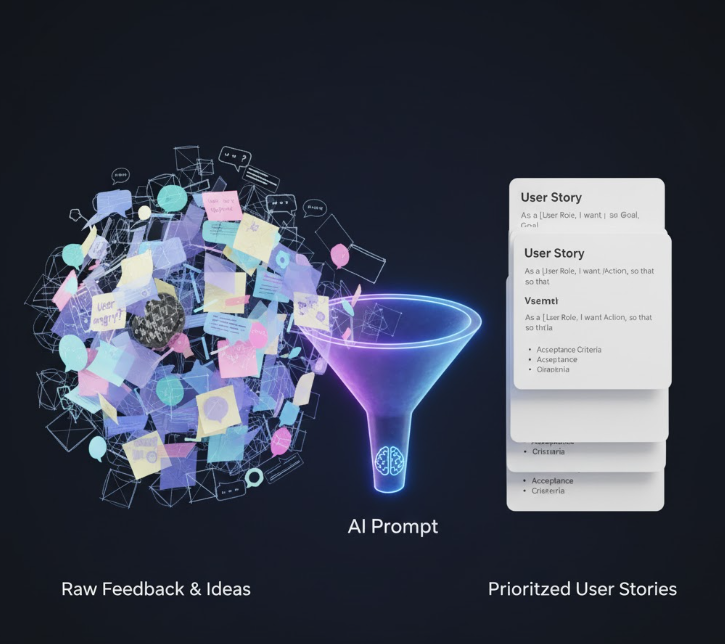
✍️ Introduction: From Blank Pages to Better Backlogs
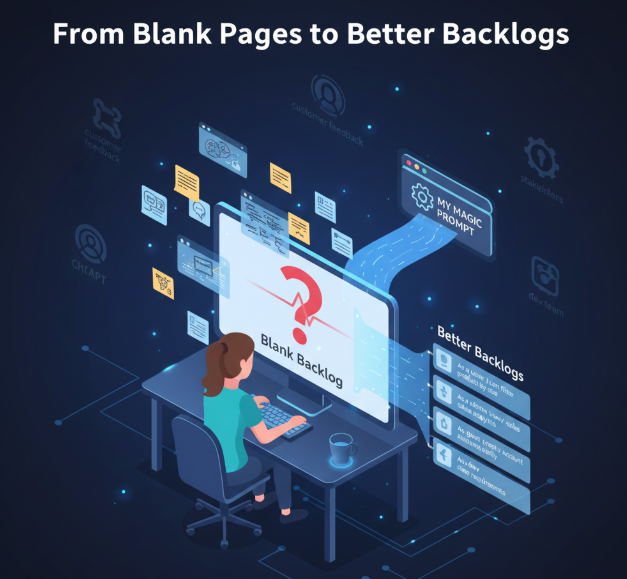
Every Product Manager knows the struggle — staring at a blank backlog, trying to turn customer feedback or stakeholder ideas into structured user stories that developers can act on. It’s easy to get bogged down by unclear requirements, vague goals, and endless rewrites.
Enter AI.
With the right prompts, tools like ChatGPT, Claude, or Gemini can help you write polished, consistent, and actionable user stories — without losing your product intuition. And with My Magic Prompt, you can save, organize, and reuse these prompts for every project, sprint, or client.
In this guide, we’ll walk through five proven prompts for user stories that make your backlog cleaner, your dev team happier, and your process faster.
🚀 Why AI Is a Secret Weapon for Product Managers
AI won’t replace your judgment — but it will accelerate it. By turning messy inputs (meeting notes, feedback, or even transcripts) into user stories with clear acceptance criteria, you:
- Save hours in backlog grooming and refinement
- Standardize story formats across teams
- Improve clarity for developers and QA
- Focus more on prioritization and customer value
When used strategically, AI becomes your co-pilot in agile delivery.
🧠 5 Prompts for Writing Better User Stories
Below are five practical, ready-to-use prompts that you can personalize inside My Magic Prompt’s library or browser extension.
1. The Classic Agile Story Prompt
Prompt:
Write a user story in the format: “As a [user type], I want to [goal] so that [benefit].” Use simple language, and include 3 clear acceptance criteria.
Use it when: Starting new feature discussions or clarifying high-level requirements.
✅ Pro tip: Use Magic Prompt’s Prompt Templates feature to save this structure and instantly reuse it across sprints.
2. The “From Feedback to Story” Prompt
Prompt:
Convert this customer feedback into a clear user story with acceptance criteria. Identify the user type and value outcome.
Use it when: You have customer notes or survey results but need to make them actionable.
Example input: “Users say the onboarding takes too long.”
Example output:
As a new user, I want a faster onboarding process so that I can start using the app immediately.
3. The Acceptance Criteria Expander
Prompt:
Based on this user story, generate 5 detailed acceptance criteria that follow the ‘Given-When-Then’ format.
Use it when: You already have user stories but need to refine the details for QA or dev teams.
✅ Pro tip: Use the AI Toolkit in My Magic Prompt to generate variations of acceptance criteria for edge cases.
4. The Technical Story Converter
Prompt:
Take this technical task or bug description and rewrite it as a user story that explains the business value behind it.
Use it when: Translating technical backlog items into business-friendly terms for stakeholder reports.
Example input: “Refactor authentication module to support OAuth 2.0.”
Example output:
As a returning user, I want to log in securely using third-party accounts so that I can access my data easily and safely.
5. The Sprint Summary Prompt
Prompt:
Summarize all completed user stories from this sprint into a brief stakeholder update, highlighting user value and outcomes.
Use it when: Preparing sprint reviews or client reports.
🛠 How My Magic Prompt Makes This Even Easier
If you manage multiple clients or teams, you know how chaotic prompt reuse can get. That’s where Magic Prompt Chrome Extension comes in handy:
- 🧩 Save & categorize prompts — Keep your “User Story” set separate from “Product Copy” prompts.
- 👥 Share with your team — Build a shared prompt library for PMs, designers, and devs.
- ⚙️ Customize variables — Use placeholders like
{feature}or{user_type}for quick reuse.
With My Magic Prompt’s workspace, you can even create dedicated folders for different products or clients — keeping your AI process clean and consistent.
❓ FAQ: AI for Product Managers
1. What’s the best way to use AI for writing user stories?
Use AI to generate drafts, not decisions. Start with structured prompts like the ones above, then refine with your product expertise.
2. How can I make sure AI-generated user stories fit my team’s style?
Save your preferred formats inside Magic Prompt. Add standard phrases or definitions your team uses so AI keeps outputs consistent.
3. Can AI write acceptance criteria accurately?
Yes — if you give context. Provide sample stories or reference existing tickets so AI matches your workflow.
4. What’s the difference between a user story and a requirement?
A requirement states what must be done; a user story focuses on why and for whom it matters.
5. Can I use AI to summarize sprint outcomes or backlog updates?
Absolutely. Combine the Sprint Summary Prompt with your meeting notes to create instant stakeholder-ready summaries.
🤍 Final Thoughts: From Chaos to Clarity with AI
Good prompts don’t replace product thinking — they amplify it.
By building your own prompt toolkit in My Magic Prompt, you can turn every AI chat into a repeatable, high-quality output engine. Whether you’re refining backlog items, clarifying requirements, or prepping for sprint reviews, a few smart prompts can transform your entire workflow.
✨ Start building your product management prompt library today — and make every story count.