
How to Set Up Your AI Workflow Entirely From Your Browser
July 17, 2026
How to Test Prompts Faster With a Chrome Extension
July 20, 2026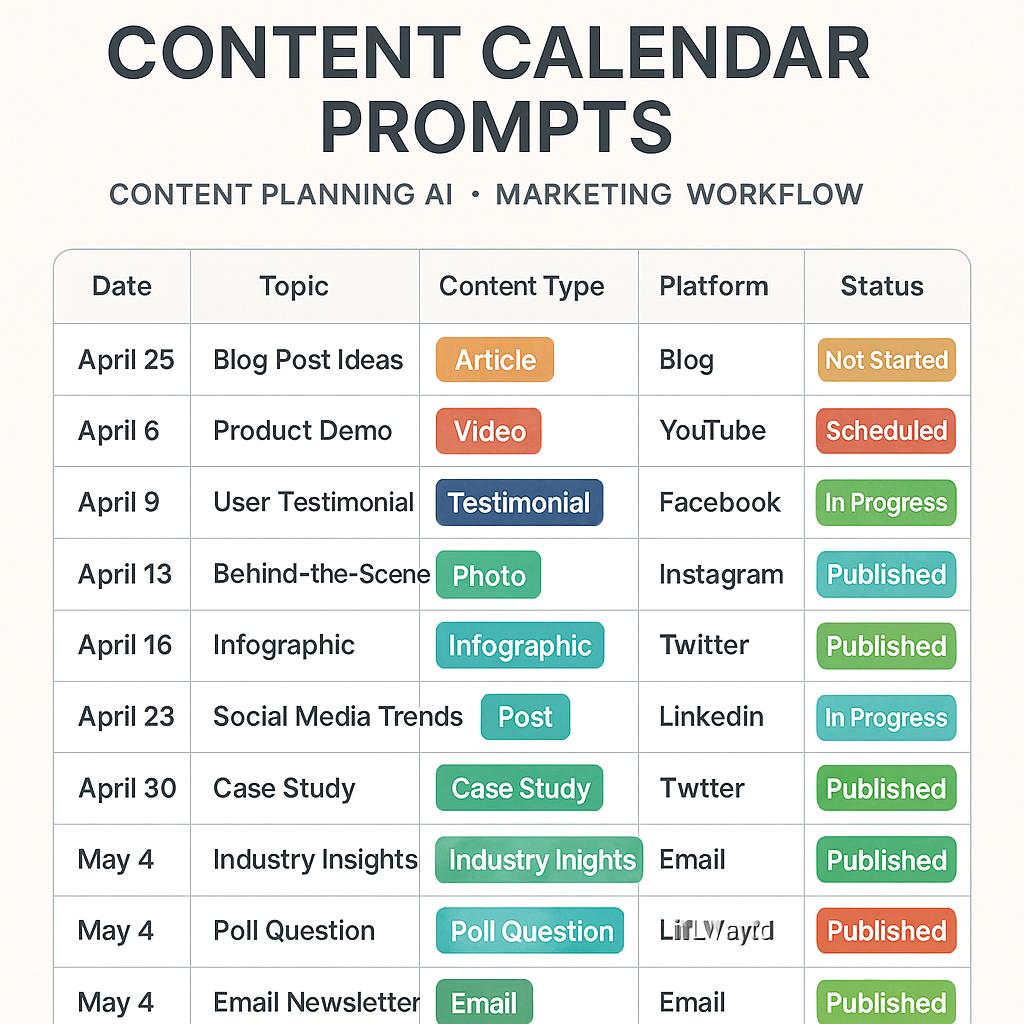
How to Switch Between AI Models Without Losing Your Prompts
Ever felt that sinking feeling when you move your content planning prompts from ChatGPT to Gemini (or Claude) — and suddenly, your carefully crafted ideas don’t hit quite the same? You’re not alone. Switching between AI models is a superpower for marketers and creators, but it comes with its own set of productivity potholes.
Why AI Model Switching Matters for Content Planning
In a fast-paced marketing workflow, using content planning AI tools can help you brainstorm blog topics, social posts, and campaigns at lightning speed. But each AI model — from ChatGPT to Claude or Gemini — interprets prompts a little differently. What works as a killer post angle in one platform might come out bland or off-topic in another.
- ChatGPT excels at creative expansion and brainstorming.
- Claude is strong for structured, nuanced content.
- Gemini can blend data-driven insights with content themes.
The key: Don’t just copy-paste your prompts. Instead, optimize your content calendar prompts for each model’s strengths — without reinventing the wheel every time.
Framework: Seamless Prompt Switching for Smarter Marketing
Here’s a simple workflow to maximize your content planning AI across multiple models:
- Standardize Your Base Prompt
Start with a clear, outcome-focused prompt. For example: “Suggest five blog post ideas for a SaaS product launch, prioritizing unique angles for our target audience.” - Tailor for Each Model
Add quick context: “Write in a conversational tone” for ChatGPT, “Emphasize strategic frameworks” for Claude, or “Prioritize data-backed trends” for Gemini. - Use Prompt Libraries
Tools like My Magic Prompt’s Chrome extension let you save, edit, and remix prompts — so switching models is as easy as a click. - Review & Refine Outputs
Skim the results. Did the model nail your campaign fit and theme? If not, tweak your prompt’s voice or structure, then re-run for instant improvements.
Pro tip: Document your best-performing prompts and model tweaks in a shared doc or AI prompt manager for faster, more strategic workflows next time.
Example: Optimized Content Calendar Prompt Across Models
| AI Model | Prompt Add-On | Expected Strength |
|---|---|---|
| ChatGPT | “Make it witty, engaging, and include a hook.” | Creative angles, catchy copy |
| Claude | “Use a strategic, step-by-step framework.” | Logical flow, in-depth structure |
| Gemini | “Include data trends and actionable stats.” | Insight-driven, timely content |
FAQ: Mastering Content Calendar Prompts Across AI Models
- Can I use the same content calendar prompts for every AI model?
- Not always. Each model has unique strengths and quirks. It’s best to adjust your prompts for tone, structure, and desired output. Experiment and document what works best.
- What’s the fastest way to switch prompts between models?
- Use a prompt library or manager, like My Magic Prompt, to save and remix your top-performing prompts. This keeps your marketing workflow efficient and consistent.
- How can I avoid generic or repetitive content when planning with AI?
- Be specific in your prompts: clarify your audience, campaign goals, and desired angles. Use frameworks like “jobs to be done” or “AIDA” (Attention, Interest, Desire, Action) for more focused results. Learn more about prompt engineering from Prompting Guide.
- Are there best practices for collaborating on prompt libraries?
- Yes! Use a shared tool or document, add notes on what works for each model, and update regularly. Encourage your team to test and refine prompts for faster, smarter content planning.
- Where can I find more resources on prompt engineering and AI productivity?
- Check out the My Magic Prompt website for guides, templates, and productivity tips. For deeper dives, explore articles from Marketing AI Institute.
Next Steps: Unlock Effortless Content Planning
Switching between AI models doesn’t have to mean starting over. With a smart approach to content calendar prompts and the right tools, you can deliver sharper campaigns in less time. Ready to streamline your workflow? Explore My Magic Prompt and see how effortless AI-powered content planning can be.