

What Is a Prompt Library and Why Every Creator Needs One
July 7, 2026
How to Turn One Prompt Into a Full Multi-Step Workflow
July 7, 2026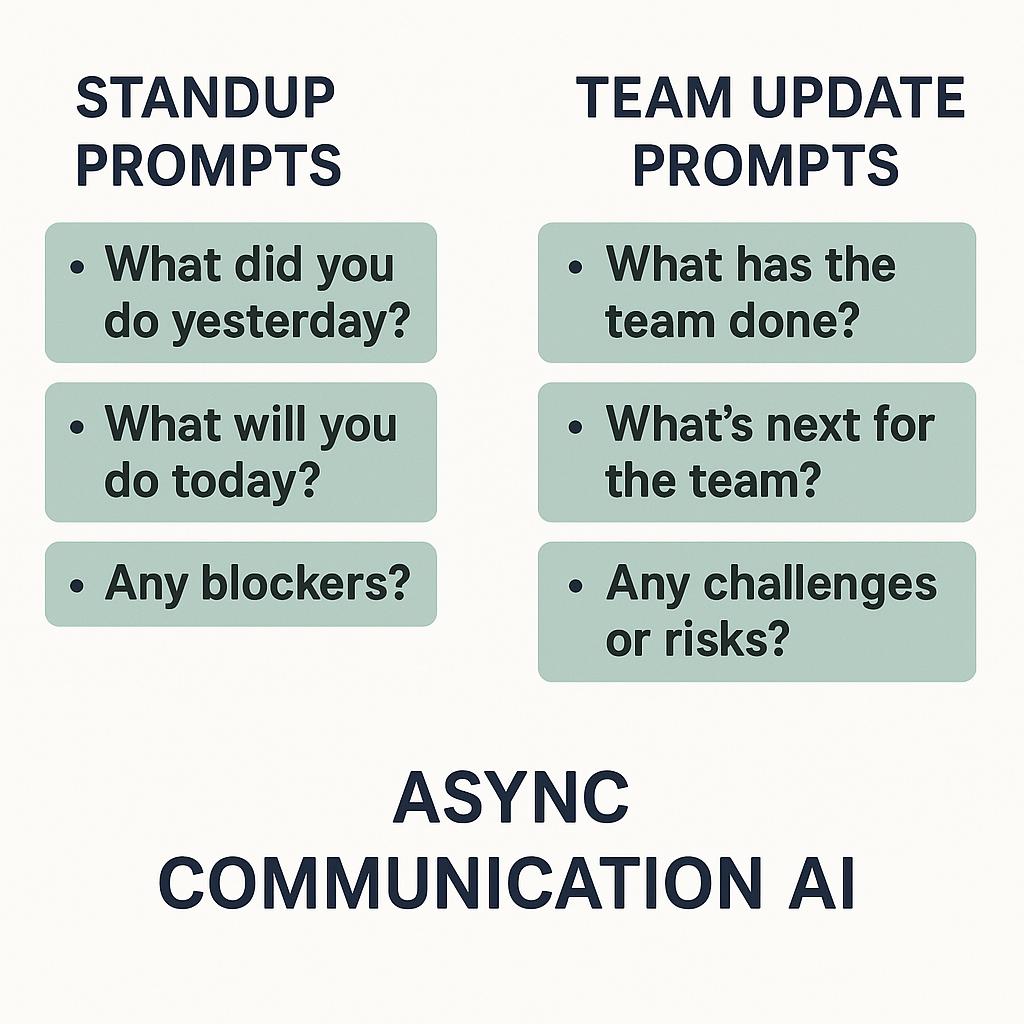
How to Build AI Prompt Systems for Support Teams
Create prompts for daily standups, weekly recaps, blockers, and progress updates that save everyone time.
Support teams thrive on clear, timely communication—but as teams grow or go remote, standups and updates can become a bottleneck. Long meetings, scattered notes, and missed updates slow everyone down. What if you could streamline team communication with AI-powered, async standup prompts and team update prompts that keep everyone in the loop—without another meeting?
Why AI-Powered Standup Prompts Matter
Async communication AI tools are changing the game for support teams. By automating daily check-ins, weekly recaps, and progress updates, you free up time for high-impact work and ensure nothing falls through the cracks. The key? High-quality prompts that guide AI to deliver concise, actionable summaries—every time.
Frameworks for Effective Support Team Prompts
To get the most from your AI tools, start with proven prompt frameworks. Here are a few to try:
- Daily Standup Prompts: Guide your AI to ask: “What did I accomplish yesterday? What am I working on today? Any blockers?”
- Blockers & Help Requests: Use prompts like: “Summarize my current blockers and suggest resources or teammates who can help.”
- Weekly Recap Prompts: Try: “Summarize this week’s top issues resolved, persistent challenges, and team wins.”
- Progress Update Prompts: Ask: “Compare this week’s metrics to last week and highlight key trends or shifts.”
Pro Tips for Async Communication AI
- Be specific—add details like ticket numbers or project names for more relevant summaries.
- Set a tone—ask your AI to use a friendly, concise, or formal style as needed.
- Automate routine updates—integrate prompt systems into your team’s workflow for consistent communication.
How to Build Your Own Prompt System
- List Your Communication Needs: Standups, blockers, recaps, etc.
- Design Prompt Templates: Use frameworks above or explore prompt libraries for inspiration.
- Test & Iterate: Run your prompts with ChatGPT, Claude, or Gemini. Adjust for clarity and completeness.
- Automate: Use tools like MagicPrompt’s Chrome extension to trigger prompts directly within your workflow.
FAQs: Building AI Prompt Systems for Teams
- What are standup prompts?
- Standup prompts are structured questions or templates used by teams (often through AI) to capture daily progress, plans, and blockers—usually in async or written formats.
- How can AI improve async team updates?
- AI helps by generating concise summaries, highlighting trends, and keeping everyone aligned—without the need for live meetings. This boosts productivity and transparency.
- Which AI tools work best for support team prompt systems?
- Popular choices include ChatGPT, Claude, and Gemini. Tools like My Magic Prompt make it easy to generate and deploy high-quality prompts across these platforms.
- What makes a good team update prompt?
- A good prompt is clear, specific, and tailored to your team’s workflow. It should guide AI to deliver actionable, relevant updates in your preferred tone and format.
- How often should support teams use async communication AI?
- Many teams benefit from daily standup prompts and weekly recap prompts, but frequency depends on your team’s size, pace, and preferences.
- Where can I learn more about prompt engineering?
- Check out resources like Prompting Guide or the Microsoft Prompt Engineering Guide for deeper dives.
Ready to Level Up Team Communication?
Building an AI prompt system isn’t just about saving time—it’s about empowering your support team to communicate smarter and focus on what matters. If you’re ready to get started, explore My Magic Prompt for more frameworks, templates, and tools designed for productivity pros.