

The Best Chrome Extension for Freelancers Who Use AI Daily
August 3, 2026
The Best Chrome Extensions for AI-Powered Sales Reps
August 4, 2026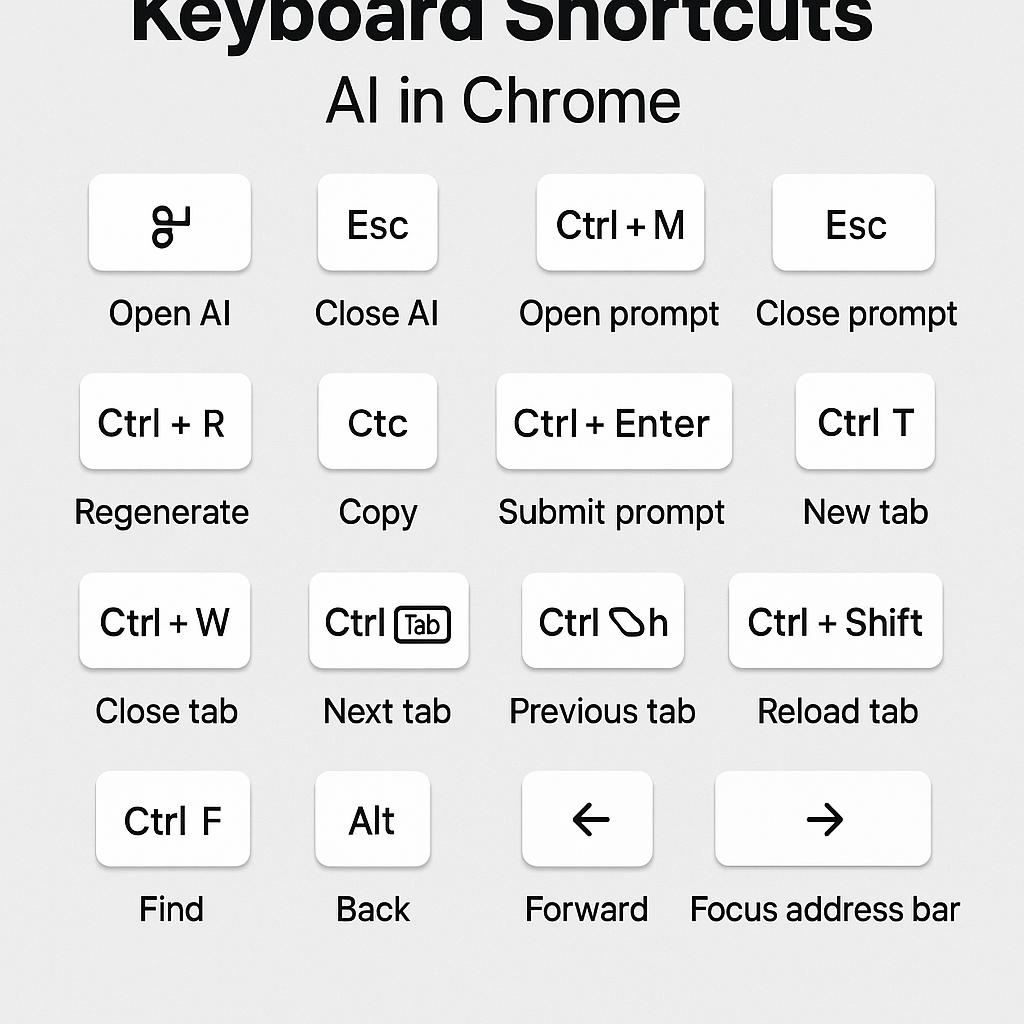
The Best Chrome Extensions for AI Power Users in 2026
Every AI power user knows this feeling: You have the perfect idea, but by the time you’ve clicked, copied, and pasted your way to your favorite chatbot, inspiration slips through your fingers. In fast-paced work, reducing friction between idea and AI execution is everything. That’s why browser tools—especially those with smart keyboard shortcuts—are becoming the secret weapon of the most productive AI users.
Why Keyboard Shortcuts Are Game-Changers for AI Prompting
When you rely on AI tools like ChatGPT, Claude, or Gemini throughout your day, every extra click adds up. Keyboard shortcuts in AI Chrome extensions let you:
- Trigger your favorite prompts instantly, without breaking your workflow
- Highlight text anywhere and send it directly to your AI assistant
- Cycle through prompt templates, modify instructions, or swap models—all with a keystroke
This isn’t just about speed; it’s about staying in the creative flow. The best browser extensions now put prompt hotkeys front and center, giving you superpowers over your AI workflow.
Top Chrome Extensions with Prompt Hotkeys for 2026
| Extension | Best For | Shortcut Features |
|---|---|---|
| MagicPrompt | Custom prompt crafting, fast iteration | Global hotkeys, instant prompt injection, multi-AI support |
| AI Writer | Long-form content drafting | Text highlighting, prompt recall |
| PromptFlow | Workflow automation | Context-aware hotkeys, cross-tool triggers |
For power users, MagicPrompt stands out—it’s designed specifically to bridge the gap between idea and execution. Its intuitive keyboard shortcuts let you send, edit, and rerun prompts to ChatGPT, Claude, Gemini, and others, all from your browser.
Framework: How to Build Your AI Prompt Routine with Hotkeys
- Identify your most-used prompts and assign them shortcut keys.
- Use extensions that let you save prompt templates and trigger them anywhere (like MagicPrompt).
- Experiment with combining shortcuts—e.g., highlight & send, or swap models instantly.
- Regularly review and update your hotkeys as your workflow evolves.
Pro Tip: Install MagicPrompt for Chrome to get started with ready-to-use prompt hotkeys and customizable shortcuts.
FAQ: Keyboard Shortcuts and Prompt Hotkeys in AI Chrome Extensions
- What are the best Chrome extensions with keyboard shortcuts for AI?
- Top picks include MagicPrompt, AI Writer, and PromptFlow, all featuring prompt hotkeys and streamlined browser integration.
- How do keyboard shortcuts improve AI productivity?
- Shortcuts reduce manual steps, letting you generate, edit, and send prompts to AI tools faster—helping you stay in the flow and get more done.
- Can I customize prompt hotkeys in MagicPrompt?
- Yes, MagicPrompt lets you assign and edit shortcut keys for your favorite prompts and AI models, adapting to your workflow.
- Are prompt hotkeys secure to use in the browser?
- Reputable extensions follow Chrome’s security guidelines. Always check permissions and reviews, and learn more about Chrome Extension security best practices.
- Can I use keyboard shortcuts with multiple AI models (ChatGPT, Gemini, Claude)?
- Some extensions, like MagicPrompt, support multiple AI models—letting you route prompts to your preferred assistant via hotkeys.
Ready to Supercharge Your AI Workflow?
If you’re serious about AI productivity, mastering keyboard shortcuts for AI Chrome extensions is a game-changer. Try integrating prompt hotkeys into your daily routine and see how much faster (and more fun) working with AI becomes. Curious? Explore MagicPrompt to take your AI prompting to the next level.