
MagicPrompt vs Saving Prompts in Google Docs: Which Wins?
July 30, 2026
Prompt Systems for Non-Writers Who Still Need Great Copy
July 31, 2026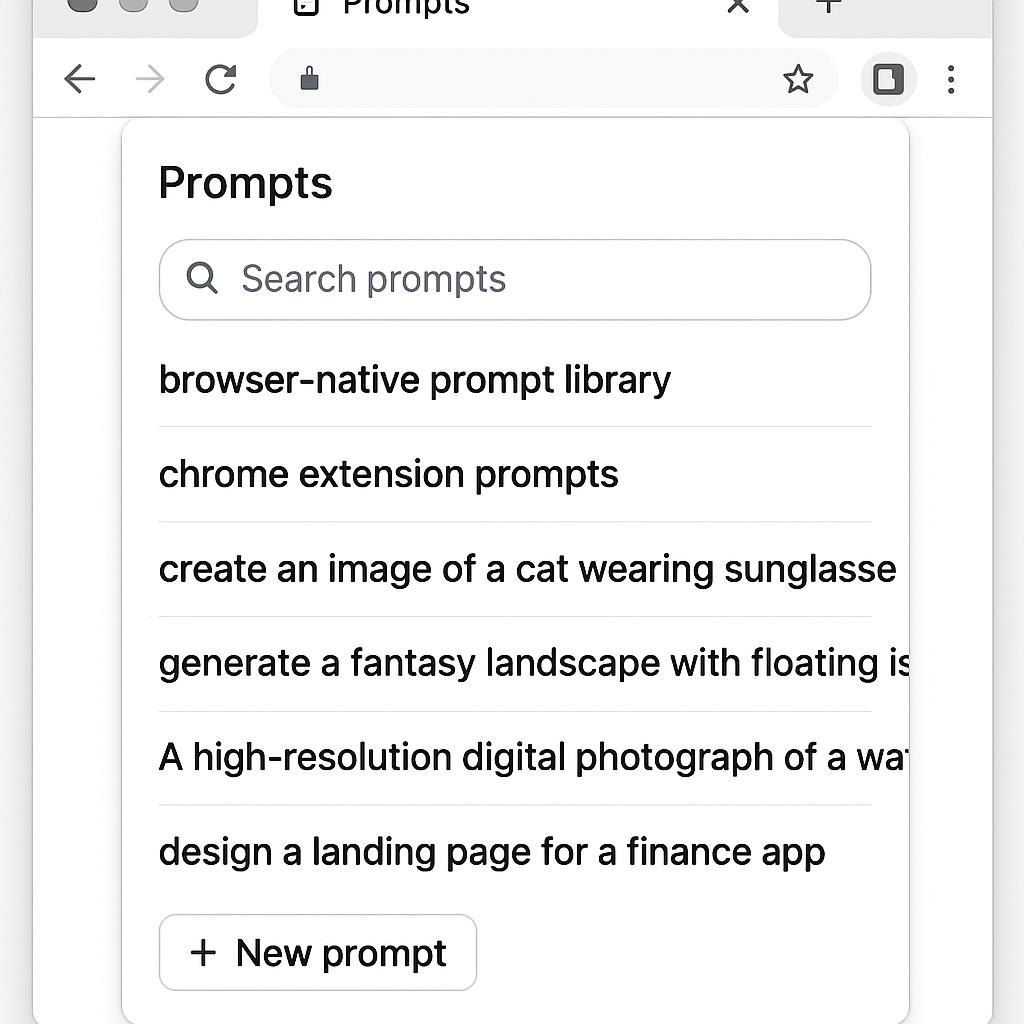
Prompt Systems for Fractional Executives: Why a Browser-Native Prompt Library is a Game Changer
Meta Description: Defines what makes a prompt library “browser-native” and why it outperforms clipboard or doc-based alternatives.
The modern fractional executive juggles multiple clients, tools, and AI workflows—sometimes in a single morning. If you’re toggling between Google Docs, Notion, and endless browser tabs just to manage your prompt library, you’re not alone. But what if your best prompts for ChatGPT, Claude, or Gemini were always one click away, right where you work?
What Is a Browser-Native Prompt Library?
A browser-native prompt library is a collection of reusable, high-quality AI prompts that live directly inside your browser—often as a Chrome extension. Unlike scattered docs or that overstuffed clipboard manager, browser-native libraries integrate seamlessly with the web apps you already use. This means:
- No more searching Google Drive or Slack for your last winning prompt
- Instant access to prompts as you work in your favorite AI chat tools
- Consistent, version-controlled prompts that save time and mental bandwidth
The result? Less friction, more flow, and a strategic edge for every client call or deliverable.
Why Browser-Native Beats Clipboard or Doc-Based Alternatives
Fractional executives need speed and context-switching superpowers. Here’s how browser-native prompt systems deliver:
| Feature | Clipboard/Docs | Browser-Native Library |
|---|---|---|
| Access | Manual copy-paste, tab switching | One-click in any tab (e.g., MagicPrompt Chrome Extension) |
| Organization | Folders, but often scattered | Tag, favorite, and search prompts in one place |
| Collaboration | Share links or docs manually | Share prompts or libraries with teammates on the fly |
| Speed | Slower, more context switching | Instant, in-flow prompt insertion |
Pro Tip: Leverage Chrome Extension Prompts for Maximum Efficiency
With browser-native tools like My Magic Prompt, you can:
- Save your top-performing prompts from any chat tool
- Access and insert prompts without breaking your workflow
- Organize by client, use case, or platform (ChatGPT, Claude, Gemini, etc.)
- Stay ready for any client context or deliverable, right from your browser
For more on the productivity science behind prompt engineering, check out McKinsey’s guide to prompt engineering.
FAQ: Browser-Native Prompt Libraries for Fractional Executives
- What is a browser-native prompt library?
- A browser-native prompt library is a prompt management tool integrated directly into your browser, often as a Chrome extension, allowing you to save, organize, and use AI prompts instantly within your workflow.
- How does a browser-native prompt library improve productivity?
- It eliminates the need to switch tabs or search through documents, so you can access the right prompt instantly—boosting efficiency and reducing friction.
- Is a Chrome extension prompt library secure?
- Leading tools, like My Magic Prompt, use secure storage and privacy best practices. Always check the permissions and privacy policy before installing any extension.
- Can I use a browser-native prompt library with different AI platforms?
- Yes! Browser-native prompt libraries are designed to work with multiple AI chat tools, including ChatGPT, Claude, Google Gemini, and more.
- How do I get started with a browser-native prompt library?
- Install a trusted Chrome extension like MagicPrompt, then start saving and organizing your prompts as you work.
Unlock Your AI Edge
Fractional executives thrive on speed, flexibility, and strategy. A browser-native prompt library is your secret weapon for staying ahead in the AI productivity game. Ready to streamline your workflows? Explore My Magic Prompt to see how smart AI users work faster, better, and with less friction every day.