

7 Chrome Extensions That Make ChatGPT Actually Useful
June 26, 2026
How Browser Extensions Make AI More Consistent for Teams
June 29, 2026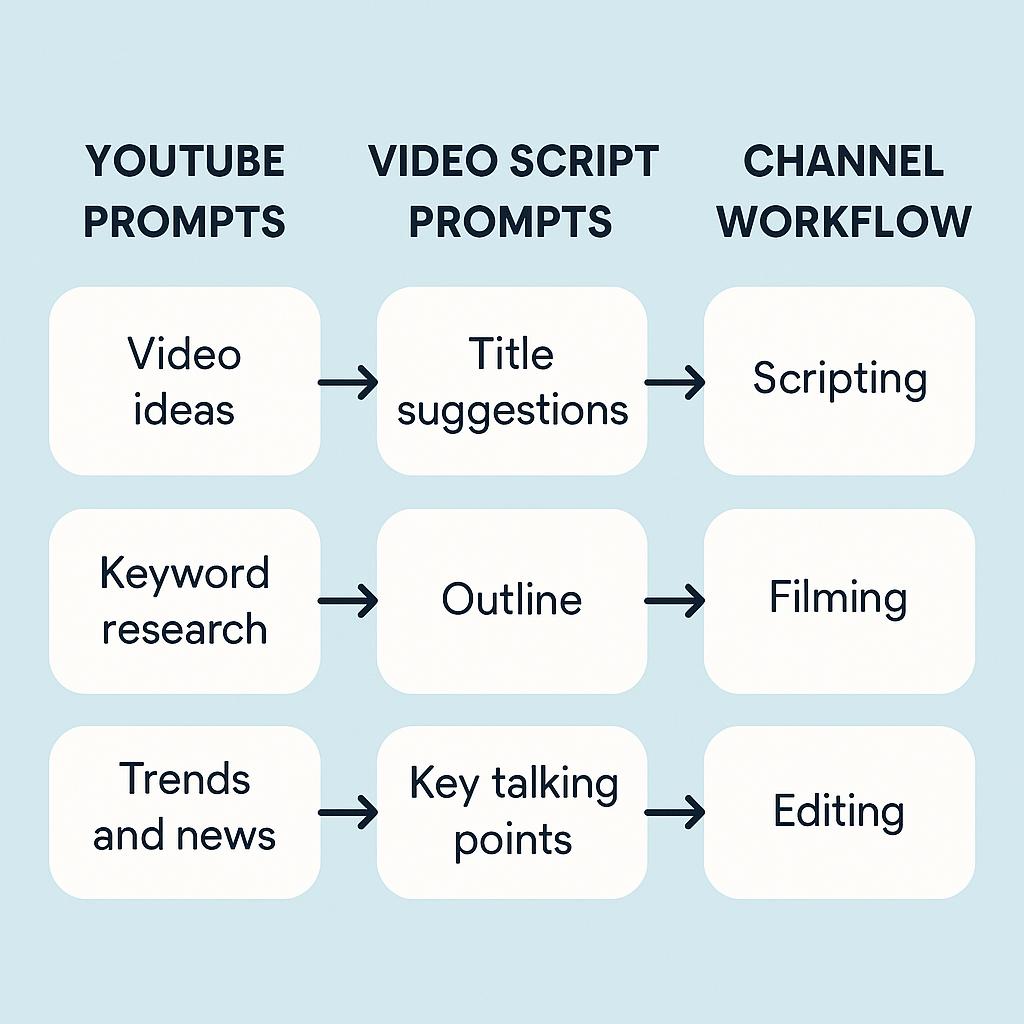
Chrome Extensions That Work With Claude, ChatGPT, and Gemini
Ever stared at a blank YouTube upload screen, knowing you need a catchy title, a killer script, and a polished description—but feeling stuck? You’re not alone. Turning a single video idea into an entire content workflow (think: ideas, scripts, titles, descriptions, and repurposed clips) can devour hours, even with AI tools like Claude, ChatGPT, and Gemini. But what if you could streamline your whole YouTube channel workflow using Chrome extensions and smart prompt engineering?
Why Use Chrome Extensions With Claude, ChatGPT, and Gemini?
AI chatbots can do wonders for brainstorming and writing, but toggling between apps, copying prompts, or reformatting outputs wastes precious time. Chrome extensions supercharge your workflow by bringing powerful AI features directly into your browser, helping you:
- Save and reuse the best youtube prompts for video scripts and channel tasks
- Generate and tweak video script prompts on the fly
- Build a repeatable, scalable channel workflow AI process
Workflow Framework: From Idea to Repurposed Clip
Here’s how to use Chrome extensions with AI to make your YouTube workflow faster and more strategic:
1. Idea Generation
- Use prompt libraries or AI-powered Chrome extensions to brainstorm trending topics or niche video angles.
- Example prompt: “List 10 YouTube video ideas for a productivity channel targeting remote workers.”
2. Script Writing
- Deploy your favorite Chrome prompt generator extension to craft or edit scripts directly in your documents or YouTube Studio.
- Try structure prompts like: “Write a 3-minute script covering [topic], with an engaging hook and clear call-to-action.”
3. Title & Description Optimization
- Feed your draft script into an AI tool and prompt: “Suggest 5 SEO-friendly YouTube titles and a compelling video description.”
- Iterate instantly without leaving your browser tab.
4. Repurposing & Clip Generation
- Use prompt templates to pull out shorts, social posts, or blog intros from your main video script.
- Example: “Summarize this script into a 30-second YouTube Short.”
Pro tip: Tools like My Magic Prompt let you save, tweak, and deploy your best prompts across all major AI models and Chrome extensions.
Best Practices for Prompt Engineering in Video Workflows
- Be specific: The more context you give, the better the output (e.g., target audience, video length, tone).
- Iterate quickly: Use extensions to refine prompts and outputs without switching tabs or platforms.
- Save your favorites: Build a personal prompt library for recurring YouTube tasks.
- Mix and match models: Try the same prompt with Claude, ChatGPT, and Gemini to compare results.
For more prompt ideas, see My Magic Prompt’s resources.
FAQ: Chrome Extensions for YouTube AI Workflows
- Which Chrome extensions support Claude, ChatGPT, and Gemini for YouTube prompts?
- Extensions like My Magic Prompt’s Chrome tool, ChatGPT Sidebar, and other AI prompt generators make it easy to work with all major models directly from your browser.
- How can I use video script prompts more effectively?
- Start with structured prompts (length, style, audience) and iterate using extension shortcuts or saved prompt templates for consistency and speed.
- What’s the best way to repurpose YouTube scripts into shorts or social content?
- Use prompt templates to instantly summarize or reformat your script, then tweak the output using your AI extension of choice.
- Are there free Chrome extensions for channel workflow AI?
- Yes! Some tools offer free tiers or trials. Check out the Magic Prompt Extension for a quick start.
- How do I ensure my YouTube content is original when using AI?
- Always review, personalize, and fact-check AI-generated outputs. Use authoritative sources like YouTube’s official guidelines for best practices.
Ready to Streamline Your YouTube Workflow?
Building a repeatable, strategic YouTube channel workflow is easier than ever with AI and Chrome extensions. If you want to save your best youtube prompts, generate smarter video script prompts, or explore channel workflow AI, consider checking out My Magic Prompt. It’s the secret weapon for creators who want to work smarter, not harder.