

How to Build a Prompt Workflow for YouTube Channels
July 6, 2026
How to Build a Searchable Prompt Knowledge Base
July 6, 2026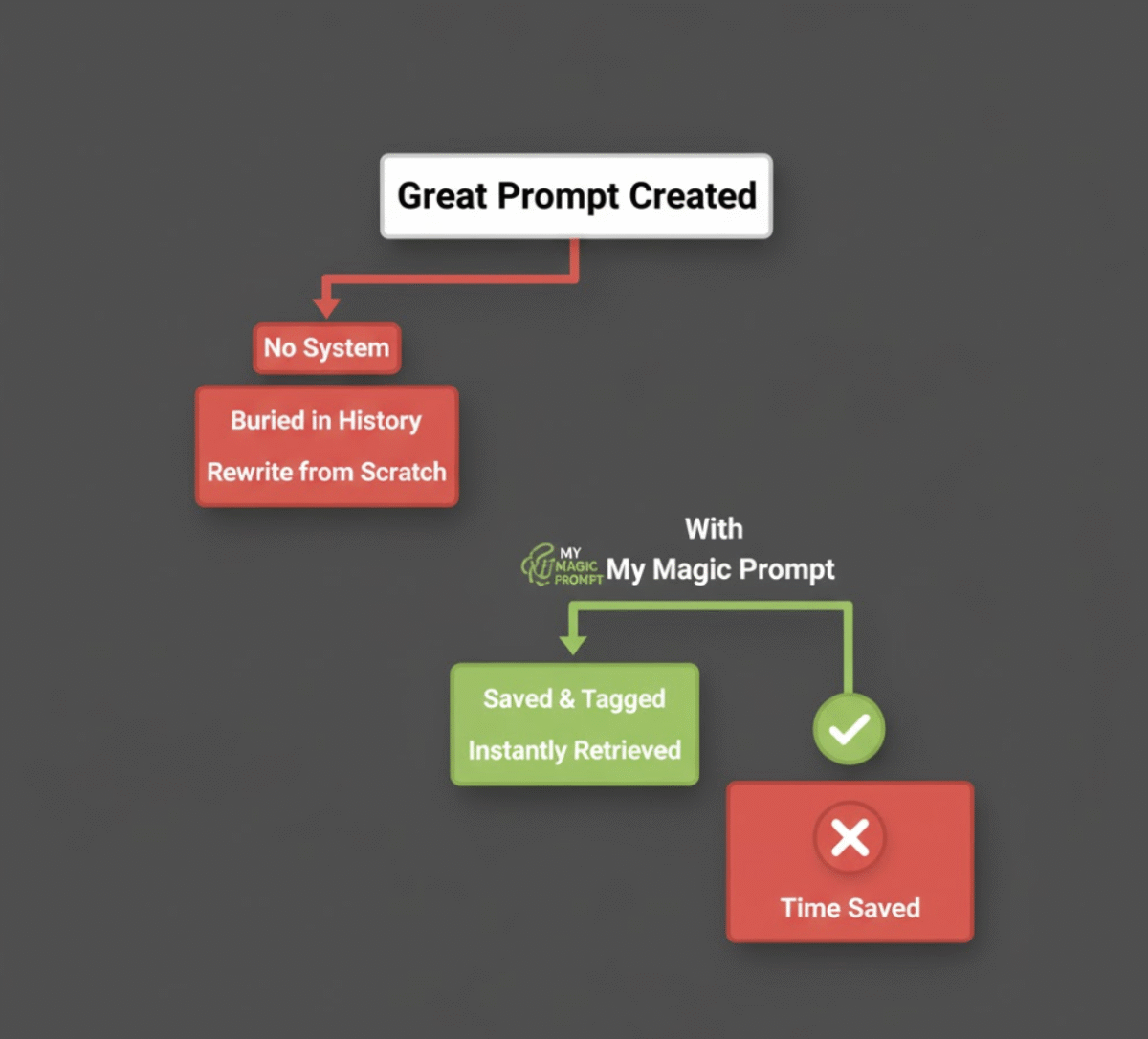
Introduction: The Hidden Chaos in Your ChatGPT History
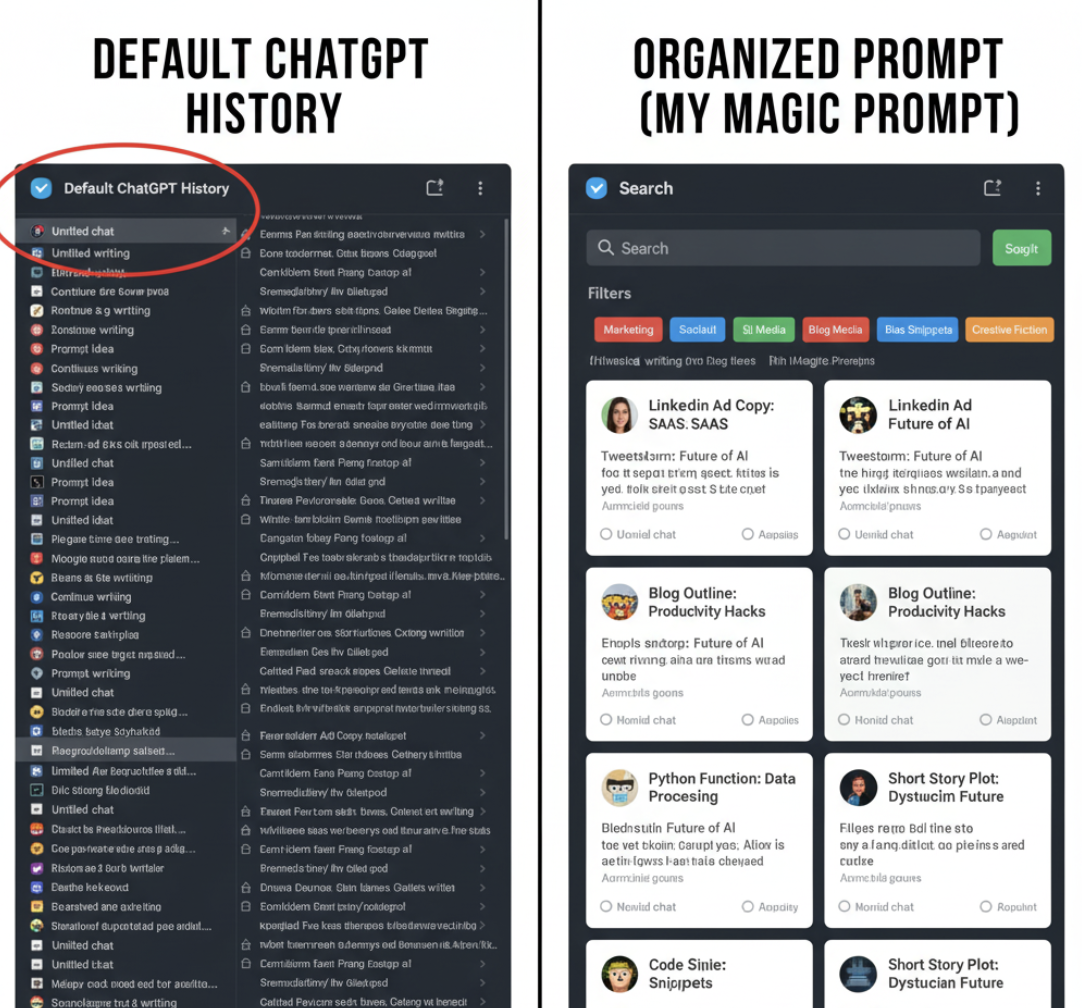
If you’ve ever tried to find that one perfect prompt you used last week — you know the struggle. ChatGPT’s built-in history is long, cluttered, and lacks real organization. You scroll endlessly, guessing which chat it was, only to open the wrong one (again). For productivity-focused professionals, this isn’t just annoying — it’s a major time drain.
Luckily, there’s a better way. Instead of treating your ChatGPT history like a digital junk drawer, you can use smarter tools to save, tag, and organize your best prompts for long-term reuse. Let’s explore why the default approach fails — and how My Magic Prompt makes prompt organization effortless.
Why ChatGPT’s History Isn’t Enough
ChatGPT’s conversation history was never designed as a prompt management system. It’s chronological, not searchable by keyword or category, and lacks tools for tagging or version control.
Here’s what typically happens:
- You create a brilliant prompt for a campaign or project.
- A week later, you need it again — but it’s buried under 50 new chats.
- You rewrite it from scratch, wasting time and losing consistency.
In short: ChatGPT helps you think better, but it doesn’t help you stay organized.
How to Save and Organize ChatGPT Prompts the Smart Way
1. Use a Dedicated Prompt Management Tool
Instead of relying on ChatGPT’s default history, tools like My Magic Prompt let you save, tag, and organize your best prompts in one place. You can create categories (e.g., “Email Copy,” “Marketing Strategy,” “Client Projects”) and easily retrieve prompts when needed.
Example workflow:
- Generate and test prompts directly in ChatGPT or Claude.
- Save your best-performing versions into My Magic Prompt.
- Tag prompts by topic or AI model (e.g., “Gemini prompts,” “Claude 3 creative writing”).
Instead of reinventing the wheel every time, build reusable frameworks. For instance:
Example Prompt Template:
“Act as a [role] and help me [achieve goal] by [specific task]. Include [desired tone or structure].”
Store your templates inside My Magic Prompt and customize them for future projects. This saves time and improves consistency across tasks.
Internal link: Explore the Magic Prompt Chrome Extension to generate and save prompts instantly from your browser.
3. Tag, Search, and Version Your Prompts
If you’ve ever used Notion or Airtable, you know the power of tagging. Apply the same logic to your AI workflow:
- Tags: Add context (e.g., “marketing,” “research,” “storytelling”).
- Versions: Save improved variations of the same prompt to track results.
- Search: Quickly find any prompt by keyword or use case.
My Magic Prompt: Your External Brain for Prompt Organization
My Magic Prompt isn’t just a prompt generator — it’s a full toolkit for AI professionals. You can:
- Save and reuse your best prompts across ChatGPT, Claude, and Gemini.
- Build structured templates for consistent output.
- Access your entire prompt library with one click.
It’s like Notion, but purpose-built for prompt engineering. Whether you’re managing creative workflows or writing business content, My Magic Prompt gives structure to your AI thinking.
FAQs About Saving ChatGPT Prompts
1. Why should I save my ChatGPT prompts externally?
Because ChatGPT’s history isn’t searchable or taggable. External tools let you manage prompts more efficiently for long-term use.
2. What’s the best way to organize prompts?
Group prompts by project or task type (e.g., writing, strategy, analysis) and use consistent tags.
3. Can I use My Magic Prompt with different AI models?
Yes! It supports prompts for ChatGPT, Claude, Gemini, and more — all in one unified library.
4. How does prompt versioning help?
It allows you to track performance improvements, refine tone, and compare outputs.
5. Is there a quick way to save prompts while chatting?
Yes — use the Magic Prompt Chrome Extension to capture and save prompts instantly.
Final Thoughts: From Messy to Methodical
ChatGPT’s history is convenient, but not sustainable. If you rely on AI daily, your prompts are intellectual property — and they deserve better organization.
With My Magic Prompt, you can build a structured, searchable, and scalable prompt system. No more lost ideas. No more duplicate work. Just smart, efficient, AI-powered productivity.